Overview
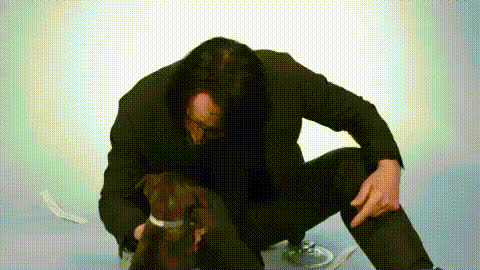
Step into a world of fun and creativity with our Posing With Puppy video face swap template. Designed to delight pet lovers and social media enthusiasts alike, this template allows you to swap your face or someone else's into an adorable video featuring a playful puppy. Perfect for creating personalized media content or just sharing a laugh with friends and family.
What It Does
The Posing With Puppy template utilizes advanced face swap technology to integrate a chosen face into a pre-existing video of a playful puppy. This creates a seamless and realistic interaction, bringing your imagination to life. It leverages the capabilities of our Face Swap product for a fluid and engaging experience, ensuring high-quality output that’s perfect for sharing on any platform.
Who It's For
This template is ideal for social media enthusiasts, pet lovers, and digital content creators looking to engage their audience with humorous and captivating video content. It's also a fitting choice for marketers aiming to personalize campaigns or pet brands seeking innovative ways to showcase products. For more creative ventures, consider exploring our AI Talking Photo for animated images.
Summary
With its intuitive design and high-quality results, the Posing With Puppy face swap template is a delightful tool for anyone looking to personalize their media with a touch of whimsy. Offering a straightforward workflow paired with powerful results, this template eases the path for creating shareable content. For more on enhancing video content using AI solutions, check out our AI Video Generator.
How to Use
Choose Template

Customize Input

Generate Video

Use Cases
Social Media Engagement
- Personalized birthday messages
- Humorous pet videos
Pet Product Marketing
- Feature in marketing ads
- Showcase in digital campaigns
Family Fun
- Personalized holiday greetings
- Memento-style event videos
Best Practices
High-Quality Images
Ensure the image you upload is high-resolution to achieve the most realistic face swap results.Consistent Lighting
For best results, use images where the lighting matches the scene in the pre-existing video.Facial Expressions
Choose photos with neutral expressions to better match the video dynamics.