Overview
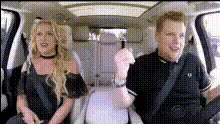
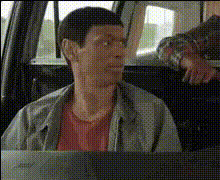
"Car Ride Faces" is a versatile Video Face Swap template designed for creative video projects. This template empowers you to insert any face onto a driver or passenger in a video, providing a unique spin to classic car ride scenes. Ideal for generating engaging content, this feature is perfect for personal entertainment, social media content, or film production.
What It Does
Car Ride Faces allows users to replace faces in car ride videos seamlessly. The template uses advanced algorithms to ensure a realistic integration of new faces while maintaining the video quality. This tool is part of Magic Hour's comprehensive suite of face swap products, offering high-end customization without complex workflows.
Who It's For
Designed for creators, advertisers, and social media influencers, Car Ride Faces is also valuable for film and video production teams looking to personalize or add humor to their content. It's an excellent tool for anyone who wants to create unique and captivating videos with minimal effort.
Summary
Car Ride Faces is a specialized video editing tool that lets you swap faces in car scenes with precision and ease. By leveraging this tool, you can create fun, personalized content suitable for various platforms. Learn more about our AI Talking Photo and Image to Video for additional content creation capabilities.
How-To
Choose Your Template

Customize Your Inputs

Generate Your Video

Use Cases
Social Media Content
- Create viral content for TikTok
- Add a twist to Instagram stories
Film Production
- Integrate familiar faces into movie scenes
- Create comedic relief moments
Advertising & Marketing
- Feature clients in advertising material
- Develop attention-grabbing ads without reshoots
Best Practices
Choose High-Quality Source Videos
For optimal results, ensure that your source video is of high quality; this improves the face swap synchronization.Select Similar Lighting Conditions
Maintain consistency by choosing source and target video clips with similar lighting to improve realism.Use Appropriate Face Alignments
Adjust face alignments carefully to fit the orientation and scale of the faces in the original video.