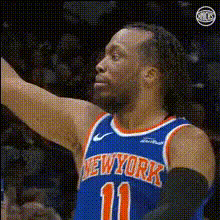
Jalen Brunson Post Game
- Video
- 31.44 sec
Any aspect ratio
Overview
Capture the essence of excitement with this Lip Sync template featuring Jalen Brunson Post Game moments. Ideal for basketball enthusiasts who want to recreate memorable press conferences or post-game interviews, this template blends sports drama with engaging video content. Whether you're crafting social media posts or sports commentary, you've got the perfect tool to bring your videos alive.
What It Does
This template allows you to overlay Jalen Brunson's post-game interviews with your own voice or any other audio. Perfect for engaging content creation, this Lip Sync tool ensures precise synchronization between the original video and your voiceover. It operates well with a variety of audio files and provides substantial flexibility in swapping speeches without impacting video quality. Explore other creative possibilities with our AI Talking Photo and Image to Video products.
Who It's For
Sports commentators, YouTubers, and social media content creators will find this template invaluable. It's perfect for those who want to add a unique twist to basketball commentary, fan edits, or sports highlights. Also beneficial for digital marketers creating engaging ads for sports brands, it complements our AI Ad Creative Generator to enhance advertising campaigns.
Summary
Revolutionize your video content with the Jalen Brunson Post Game Lip Sync template. Tailored for basketball enthusiasts and content creators, this tool offers an easy way to reimagine sports interviews. Synchronize your audio with precision while retaining high video quality—ideal for engaging storytelling. Pair it with our Text to Video for a seamless video creation experience.
How-To
Choose the Template

Customize Your Input

Generate Your Video

Use Cases
Sports Commentary
- Enhance sports podcasts
- Create engaging YouTube content
Fan-Made Content
- Share on social media
- Compile a tribute video
Educational Purposes
- Produce training videos
- Create tutorial content
Best Practices
Choose Clear Audio
Ensure that the audio you upload is clear and free of background noise for optimal lip sync performance.Test Sync Timing
Adjust and test before finalizing, ensuring that the sync timing matches the lip movements closely.Enhance with Effects
Incorporate transitions or visual effects to give your video a polished look, making use of our AI Video Generator.