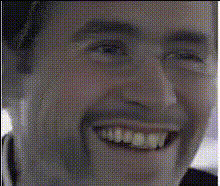
zac-efron-in-car
Overview
Step into the wacky world of video transformations with the "Zac Efron in Car" Video Face Swap template. Perfect for creating entertaining clips, this template uses advanced AI to swap a face in a car scene with Zac Efron's. Ideal for comedic content or fan edits, this tool opens the door to creativity.
What It Does
The Video Face Swap feature allows users to replace a face in a car scene with Zac Efron's, crafting humorous and engaging content. This template leverages AI technology, similar to our Face Swap tool, ensuring realistic and smooth transitions that enhance video quality. It's part of our wide range of transformation tools, including the AI Video Generator and AI Image Editor.
Who It's For
This template is designed for content creators, meme enthusiasts, and anyone looking to create engaging video content. Whether you're making social media posts, video clips for YouTube, or fun edits for friends, this tool provides the utilities needed for professional-level transformations, much like our Lip Sync and Body Swap products.
Summary
Embrace creativity with the "Zac Efron in Car" template. This Video Face Swap tool offers an entertaining editing experience, perfect for creating funny and memorable content. By using AI, this template ensures a seamless face swap that captivates audiences.
How To
Choose the Template

Customize Your Inputs

Generate and Download

Use Cases
Social Media Comedy Videos
- Eye-catching face swaps in trending memes
- Quick laughs with shareable clips
Fan Edits and Tributes
- Celebrity mashups for movie enthusiasts
- Custom tributes to Zac Efron
Creative Marketing
- Capture attention with unique transformations
- Enhance the appeal of video campaigns
Best Practices
Select High-Quality Images
Ensure the best quality swap by using high-resolution images of the faces you want to swap. This improves the clarity and realism of the final video.Experiment with Angles
Try different angles for better integration. The AI works best with clear, frontal faces.Use Consistent Lighting
Ensure that the lighting in the input photo matches the video scene to achieve the most seamless face swap.