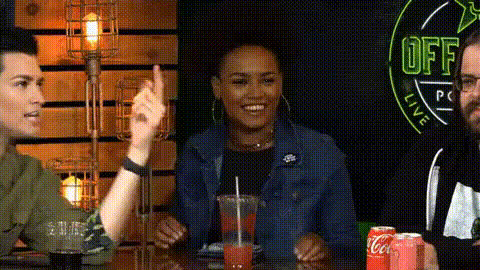
women-at-restaurant-table
Overview
Transform a casual dining scene into a hilarious video with our Women at Restaurant Table template. This Video Face Swap tool is perfect for swapping faces among a group of women seated at a restaurant table, creating unique and entertaining visuals. Suitable for generating light-hearted pranks or humor-filled reels, this template is both versatile and easy to use.
What It Does
This template enables you to swap faces in a video featuring women at a restaurant. By using the Face Swap technology, it seamlessly integrates chosen faces into the scene, maintaining natural expressions and movements. The output is compatible with various social media platforms, allowing instant sharing and audience engagement.
Who It's For
Perfect for social media enthusiasts, content creators, and brands looking to inject humor into their videos, this template serves anyone eager to utilize AI GIF Generator tools to enhance their content. Whether you aim to create engaging marketing materials or just want to have fun with friends, it's an excellent choice.
Summary
Explore creative video transformations with the Women at Restaurant Table template. Integrating cutting-edge AI Video Generator technology, it offers a simple yet powerful way to make content that stands out. Ideal for creating personalized and comedic videos, it's a must-try for modern image and video transformation.
How-To Steps
Choose Your Template

Customize the Video

Generate Your Video

Use Cases
Social Media Pranks
- Engage followers with funny pranks.
- Create trending viral content.
Marketer's Delight
- Increase engagement with entertaining visuals.
- Stand out in the crowded marketing space.
Birthday Surprises
- Bring laughter to birthday celebrations.
- Create lasting memories with customized videos.
Best Practices
Choose Clear Images
For the best results, ensure the uploaded images have clear and high-resolution facial features. This helps maintain realistic appearances in the video.Adjust Face Sizes
Use the customization phase to scale and align faces properly, ensuring they match the video subjects' angles and expressions.Use Natural Lighting
Ensure that both the original video and the uploaded images have similar lighting to enhance the final result's coherence.