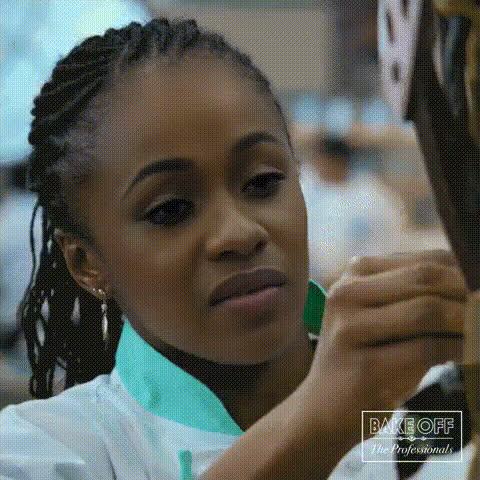
woman-with-braids-smiling
Overview
Transform your videos into captivating content with the 'Woman with Braids Smiling' Video Face Swap template. This tool allows you to creatively overlay different faces onto a video featuring a cheerful woman with braids. It's perfect for bringing a unique and personal touch to your projects. Integrate this face swap with precision to make your content stand out.
What It Does
The Video Face Swap template enables you to swap faces in a pre-existing video. This particular template uses a video of a woman with braids smiling, ideal for creating content that needs a warm and inviting look. By using this template, you can experiment with different faces and expressions to customize your video project. This integration can be particularly effective for personalized video messages or dynamic social media content.
Who It's For
This template is designed for creators and marketers looking to enhance their video content creatively. It's especially beneficial for social media influencers, video editors, and digital marketers who wish to engage their audience with personalized content. Whether you're making a fun meme or a unique video ad, this Video Face Swap tool can add a new dimension to your work.
Summary
The 'Woman with Braids Smiling' Video Face Swap template offers an engaging way to personalize video content. Ideal for anyone needing dynamic and customized video transformations, this tool works well alongside other AI-driven tools like the AI Image Generator or the AI Video Generator. Explore more possibilities by combining this template with other creative tools available on Magic Hour.
How To
Choose the Template

Customize Your Inputs

Generate Your Video

Use Cases
Creating Memes
- Engage followers
- Create shareable content
Personalized Greetings
- Send birthday wishes
- Craft holiday greetings
Social Media Content
- Boost engagement
- Reach wider audiences
Best Practices
High-Resolution Images
Use high-resolution images for the best results when swapping faces. This ensures the new face blends smoothly with the video.Accurate Positioning
Carefully adjust the face position within the template to avoid misalignment and ensure a natural look.Preview Before Finalizing
Always preview the video before finalizing to catch any adjustments needed in the swap.