Template preview

woman-talking-at-party

Video Face Swap
1 clip
0 uses

Any aspect ratio

Tags

transformations

Overview

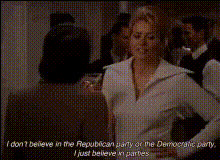
The "Woman Talking at Party" template offers an engaging Video Face Swap experience, letting you transform a scene where a woman is chatting with friends at a party. It's an ideal way to create dynamic and shareable content that captures attention.

What It Does

This template allows users to perform a face swap in a pre-existing video of a woman engaged in a lively discussion at a party. Integrate tools like the Face Swap and AI Face Editor to finalize your video with a touch of authenticity, ensuring the swap looks smooth and realistic.

Who It's For

Targeted towards content creators and social media enthusiasts, this template is perfect for those looking to craft viral content for platforms like TikTok or Instagram. It's also beneficial for marketing professionals using social media ads to present relatable and humanized promotions.

Summary

With the "Woman Talking at Party" Video Face Swap template, engage your audience by adding a personalized touch to your videos. By incorporating features of the AI GIF Generator and leveraging the precision of our face swap technology, the resulting content is not only captivating but also a perfect fit for personal or promotional use.

How To

    01

    Choose Your Template

    Navigate to the Face Swap templates section and select the "Woman Talking at Party" template to get started.
    02

    Customize Your Video

    Choose the face you wish to swap in, adjust any additional settings to improve authenticity, and preview the changes.
    03

    Generate and Save

    Click on the generate button and, once satisfied with the result, download the video to your device for immediate use.

Use Cases

📱

Social Media Content

Create humorous and engaging videos for platforms like TikTok and Instagram.
💼

Marketing and Promotions

Spice up your advertising campaigns with fresh perspectives and relatable content.
🎉

Party Invitations

Use personalized face swap videos for digital party invites, making them unforgettable.

Best Practices

  • High-Quality Source

    Ensure that the video input is of high quality to achieve seamless face swaps.
  • Consistent Lighting

    Opt for faces that match the lighting conditions of the original video to maintain continuity.
  • Creative Integration

    Incorporate other tools such as the AI Image Upscaler for enhanced visuals.

Frequently asked questions

The template supports popular formats like MP4 and MOV, ensuring compatibility with most video editing workflows.

Yes, you can use a clear photo of a face to swap into the available party video clip.

While there is no strict limit, processing times may vary for longer video clips, so shorter clips are recommended for quick outputs.

Consider using the AI Image Upscaler to improve overall video clarity.

More Like This

woman-and-man-talking
woman-on-talk-show-1
woman-says-whatever
woman-says-whatever
woman-talking-on-phone
woman-talking-sitting-down
woman-talking-to-man
2
woman-talking-to-man
woman-at-the-bar
woman-at-the-bar
woman-on-talk-show
woman-on-talk-show
woman-smiling-at-dance-party
woman-talking-on-couch
1
woman-talking-on-couch
woman-talking-to-someone
woman-wearing-sunglasses-talking

Face Swap Video