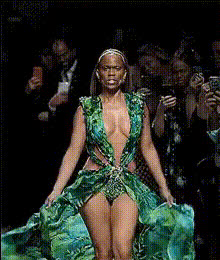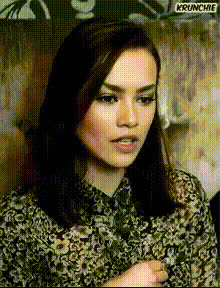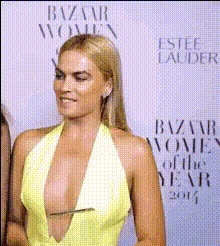
woman-in-yellow-top
Overview
Step into the world of creative video transformations with our Video Face Swap template featuring a woman in a yellow top. Ideal for producing captivating content, this template enables you to replace faces in videos, generating hilarious and unique outcomes. Whether you're crafting humorous social media clips or engaging marketing videos, this tool offers an exciting way to innovate.
Explore more transformational possibilities with our Video Face Swap, or dive into creative freedom with the versatile Character Replace tool. For fine-tuning digital images, consider the AI Image Editor.
What It Does
This template allows you to conduct a Video Face Swap on footage featuring a woman in a yellow top. Upload the original video, select new faces, and watch as the AI seamlessly integrates the chosen faces into the video.
Leveraging high-quality face mapping, the tool adapts expressions and maintains consistency across frames, ensuring a natural-looking swap. It's not just about replacing faces; it’s about creating a new narrative every time you generate.
Who It's For
This template is perfect for content creators, marketers, and social media enthusiasts aiming to enhance engagement with visually striking videos. If your work involves producing quick-turnaround video ads or entertaining social media content, this tool is essential.
Ideal for those in the Social Media Ads sphere, or creators focused on Meme Videos, it offers both a creative outlet and a professional polish.
Summary
The Video Face Swap template featuring a woman in a yellow top empowers creators to make unique video content quickly. By integrating cutting-edge AI technology, it ensures that face swaps appear realistic and engaging.
Perfect for both personal and professional projects, delve into this and similar advanced tools like the AI Talking Photo and AI Video Generator to expand your creative horizons.
How To
Choose Your Template

Customize Your Inputs

Generate Your Video

Use Cases
Social Media Engagement
- Create funny snapshots for TikTok or Instagram.
- Engage followers with surprising face swaps.
Personalized Marketing
- Tailor adverts to different demographics.
- Increase brand relatability and memorability.
Entertainment Content
- Ideal for YouTube comedic sketches.
- Add a twist to vlogs and streaming content.
Best Practices
High-Quality Source
Use high-resolution source files to ensure accurate and high-quality face swaps.Consistent Lighting
Ensure the lighting in the source and target videos are similar for smoother integration.Frame Matching
Select faces from footages with similar angles and expressions for a more realistic swap.