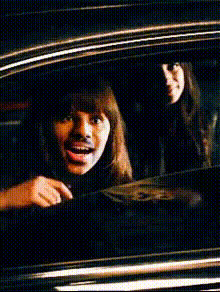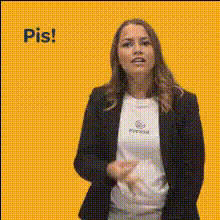
woman-giving-the-finger
Overview
The Woman Giving the Finger Video Face Swap template allows you to insert any face into a clip where a woman is humorously giving the finger. This tool is ideal for creating light-hearted, funny videos that's sure to capture attention. Whether you're looking to prank a friend or create unique social media content, this template adds a touch of humor and personalization to your videos.
What It Does
This Video Face Swap template leverages advanced AI to map and seamlessly integrate the provided face into the clip, replacing the original face of the woman giving the finger. This approach is great for generating personalized content for meme videos or unique reactions. The final output is a video file that retains the movement and expressions of the original, but with a new face you've selected.
Who It's For
Content creators who enjoy making humorous and engaging videos will find this template highly beneficial. It suits pranksters, social media managers, and even marketing professionals who wish to infuse a playful element into their campaigns. Whether for personal use or social media ads, this template enhances creativity for anyone looking to innovate their video content.
Summary
The Woman Giving the Finger Video Face Swap is your go-to for creative and funny video transformations. By providing a simple tool for swapping faces in videos, it expands the scope for dynamic content creation. Start using it to personalize your memes or enhance your video style transfer projects with a sprinkle of humor.
How-To
Choose Your Template

Customize Your Inputs

Generate Your Video

Use Cases
Pranking Friends
Social Media Content
Marketing Campaigns
Best Practices
Choose High-Quality Images
For best results, use clear, high-quality images when swapping faces to ensure natural alignment and integration.Mind the Lighting
Ensure consistent lighting between the face image and video to maintain a seamless look.Test Different Faces
Experiment with various face images to see how they change the character and tone of your video.