wedding-crashers-will-ferrell
Overview
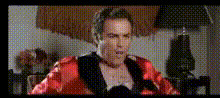
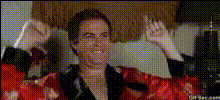
Relive the comedic magic of "Wedding Crashers" with this Video Face Swap template that puts your face on Will Ferrell. Transform yourself into one of the most amusing characters in cinema history. Perfect for adding a personal touch to iconic movie moments, this template helps you create a memorable and humorous video.
What It Does
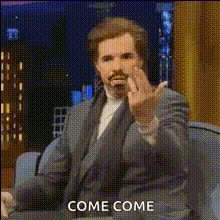
This Video Face Swap template allows you to overlay your face onto Will Ferrell's in a famous scene from "Wedding Crashers." Using advanced AI technology, it captures facial expressions and aligns your face seamlessly into the video. Export the final product in convenient video formats and share with friends for laughs.
Who It's For
This template is ideal for comedy enthusiasts, social media creators, and anyone looking to have fun with video editing. Whether you're crafting content for Instagram Reels or just want to entertain your circle of friends, this tool offers easy access to high-quality, customized video content.
Summary
Combine the magic of Face Swap technology with the hilarity of "Wedding Crashers" through this template. The process is simple: upload your photo, adjust the settings, and let our AI handle the rest. Experience the joy of seeing yourself in a classic movie scene!
How To
Choose Your Template

Customize Your Input

Generate and Download

Use Cases
Social Media Humor
- Share on Instagram or TikTok
- Gain followers with engaging content
- Increase interaction by tagging friends
Event Invitations
- Invite guests with a fun twist
- Make memorable announcements
- Ensure your invitation gets noticed
Family Entertainment
- Engage kids in a family project
- Host a video night with your clips
- Surprise relatives with fun content
Best Practices
Use High-Quality Photos
For the best results, upload high-resolution images that clearly display your facial features.Align Features Accurately
Make use of alignment tools to ensure your face fits seamlessly onto the character in the scene.Maintain Original Lighting
Try to use images that match the original video scene's lighting for a more authentic swap.