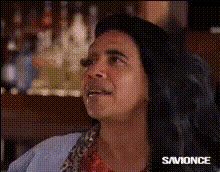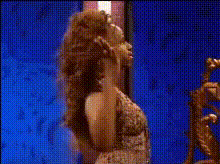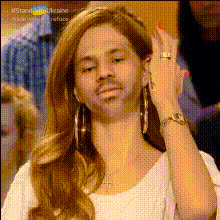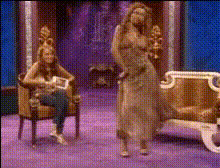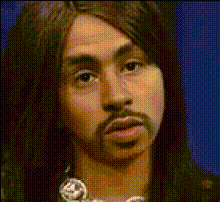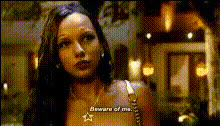
Template preview

tiffany-pollard-hairstyle-adjustment

Video Face Swap
1 clip
0 uses

Any aspect ratio

Tags

transformations

Overview

The Tiffany Pollard Hairstyle Adjustment template is your go-to tool for creating side-splitting videos by exchanging faces with Tiffany Pollard while personalizing her unique hairstyles. Best suited for those who relish creativity, this template makes video transformations both fun and engaging.

What It Does

This template uses advanced techniques to perform a Video Face Swap with the iconic Tiffany Pollard. You can then tweak and adjust her hairstyles, adding a creative twist to your video content. Whether you're a fan or just looking to make a funny video, this tool delivers a mix of entertainment and creative power.

Who It's For

Perfect for content creators, social media enthusiasts, and fans of AI Video Generator tools, this template offers a playful way to engage audiences. If you're looking to spice up your social media presence or add humor to your video projects, this is the ideal choice.

Summary

The Tiffany Pollard Hairstyle Adjustment template is a delightful way to incorporate iconic personalities into your projects. By combining face-swapping technology with customizable hairstyle options, it provides endless opportunities for creative expression. Check out more templates here to explore similar fun transformations.

How-To

    01

    Choose Template

    Browse through the Templates page and select the Tiffany Pollard Hairstyle Adjustment template to open the editor.
    02

    Customize Video

    Upload your source video and choose the specific faces and hairstyles you want to incorporate to fit your desired style.
    03

    Generate Video

    Review your custom settings and click 'Generate' to apply the changes. Once processing is complete, download your new video with Tiffany Pollard's style twist.

Use Cases

😂

Social Media Content

Engage followers with humorous and creative video clips that stand out.
📈

Marketing Campaigns

Add a fun twist to your ad campaigns by integrating iconic hairstyles and personalities.
🎬

Entertainment Projects

Create unique entertainment videos for platforms like YouTube or TikTok.

Best Practices

  • Select High-Quality Videos

    For optimal results, use clear and well-lit source videos to enhance facial recognition and hairstyle detail.
  • Experiment with Styles

    Don't hesitate to mix and match different hairstyles to discover the most humorous or fitting look.
  • Review Before Finalizing

    Always review the video adjustments before finalizing to ensure the desired effect is achieved.

Frequently asked questions

The Tiffany Pollard Hairstyle Adjustment template works with standard video formats like MP4 and MOV.

Yes, you can choose and apply different hairstyles across multiple sections of your video.

There is no limit; you can create as many videos as you wish, each with unique tweaks and adjustments.

The processing time depends on video length but typically ranges from a few minutes up to ten, depending on complexity.

More Like This

tiffany-90s-kid-tv-star
tiffany-pollard-funny-face-1
tiffany-pollard-iconic-performance
tiffany-pollard-on-mtv
tiffany-pollard-with-knife
woman-adjusting-her-hair
2
woman-adjusting-her-hair
tiffany-pollard-dancing-on-tv
tiffany-pollard-funny-face
tiffany-pollard-iconic-tv-moment
tiffany-pollard-screaming
2
tiffany-pollard-screaming
tiffany-pollard-smiling
woman-with-curly-blonde-hair

Face Swap Video