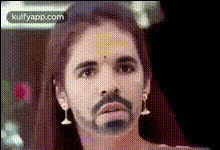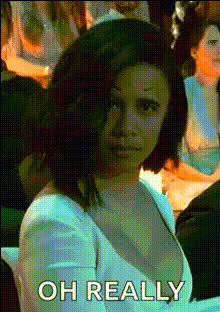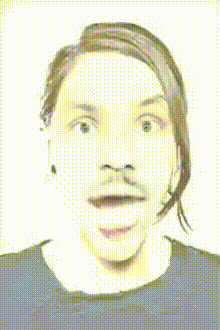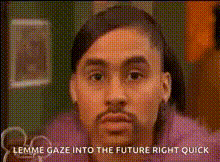
surprised-woman-close-up
Overview
Transform any video by seamlessly swapping faces with the Video Face Swap template "Surprised Woman Close-Up." This tool is designed to capture vivid, unexpected expressions that offer a dynamic twist to your projects. Ideal for unique video content that needs an element of surprise.
What It Does
This template uses advanced face swapping technology to replace the face in a close-up video of a surprised woman with any face of your choice. By leveraging cutting-edge AI, it maintains the original facial expressions while allowing for creative transformations. Learn more about our Face Swap technology that powers this template.
Who It's For
Content creators looking to add a humorous or surprising element to their videos will find great value in this template. Whether you're crafting meme videos, engaging ads, or playful social media posts, this tool is for you. Explore more AI-driven transformations with our AI Image Editor and other tools for creators.
Summary
Using the "Surprised Woman Close-Up" face swap template offers a creative way to generate engaging video content. Easily integrate this template into your Image to Video projects to add a touch of personal flair and surprise. Perfect for enhancing storytelling with humor and unexpected visuals.
How to Use
Follow these steps to create your transformed video:
Choose Your Template

Customize Your Input

Generate Your Video

Use Cases
Discover engaging ways to utilize this Video Face Swap template in your projects.
Funny Reaction Videos
- Social media shares
- Personal entertainment
- Video content boosts
Marketing Campaigns
- Eye-catching ads
- Memorable brand content
- Interactive client projects
Content Creators
- YouTube discussions
- Online tutorials
- Digital storytelling
Best Practices
Maximize the effectiveness of your face swap projects with these tips:
Select High-Quality Images
Ensure the face you upload is clear and well-lit to maintain expression fidelity.Match Lighting and Angles
Try to select original and new faces with similar lighting and angles to ensure seamless blending.Experiment with Different Faces
Explore various characters and expressions to expand the creative possibilities of your video.