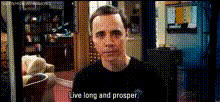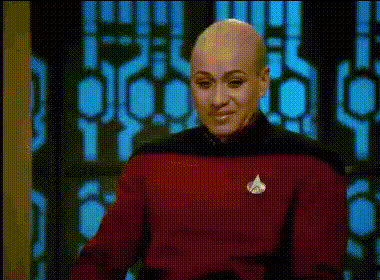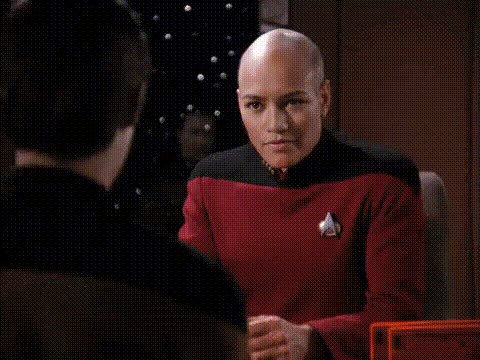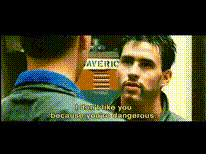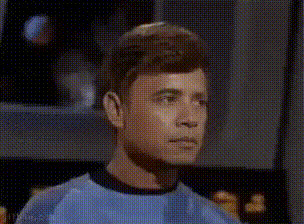
star-trek-captain-picard
face-swap
Any aspect ratio
Tags
transformationsFace Swap Video Template: Turn Any Clip Into a Studio-Ready Character Video
Use this Face Swap template to instantly replace a person’s face in any video—while keeping the original expressions, motion, and lighting. It’s ideal for creators, agencies, and startups who need fast, repeatable content without reshoots or complex VFX.
This template is built on Magic Hour’s Face Swap technology and the Face Swap Video workflow. You can remix it, swap in your own faces and footage, and create reusable “content systems” for your brand or project.
What This Template Is Best For
Use this template when you need to:
- Create recurring characters for YouTube, TikTok, shorts, or ads
- Localize content (e.g., same video, different faces for different markets or personas)
- A/B test on-camera talent without re-recording
- Prototype creative concepts before committing to a full shoot
- Generate personalized videos at scale (UGC-style ads, outreach, onboarding, training)
For related workflows, you can combine this template with:
- Lip Sync for talking-face content
- Video to Video to restyle the entire scene
- Animation for fully animated characters
- AI Talking Photo to turn still images into faces you can later swap into video
How to Remix This Template in Magic Hour
You don’t need to start from scratch. To build your own version:
Open the template
- Start from the Face Swap Video template inside Magic Hour or go directly via Face Swap Video.
- Load this template and use it as a base instead of building a flow manually.
Replace the source video
- Upload or select your base video: this is the clip whose body movement, expressions, and timing you want to keep.
- Good sources: talking-head videos, UGC footage, ads, explainer clips, short skits, interviews, or b-roll with a visible face.
Choose the face to swap in
You have three main options for the new face:- Use a real photo of yourself, your actor, or your brand persona.
- Generate a face with tools like:
- Use an existing asset from previous projects (headshots, portraits, brand characters).
Run the face swap
- Trigger the Face Swap process from the template.
- The system will align the new face with head pose, lighting, and expressions from your source video.
Review and iterate
- Check identity consistency, expression match, and how natural the swap looks in motion.
- If you want a different persona, loop back and generate or upload a new face, then rerun the swap.
Save as your own template
- Once you like the result, save your customized flow as your team’s template.
- Use it to produce many variants: different faces, markets, scripts, or styles, all from the same base structure.
Practical Use Cases & Workflows
1. Performance creatives and UGC-style ads
- Produce a library of “creators” from a single base actor.
- Test different demographics, aesthetics, or personas by swapping only the face.
- Combine with AI Voice Generator or AI Voice Cloner to match voice to persona.
- Use Auto Subtitle Generator to quickly caption every variant.
2. Localization & multi-language content
- Keep the same script and performance, but:
- Swap in a face that matches each region’s audience.
- Use Lip Sync + AI Voice Generator for different languages.
- This reduces production cost while increasing relevance and CTR in local markets.
3. Brand characters & virtual hosts
- Design a consistent brand character using:
- Use that same face across:
- Tutorial videos (swap into your how-to footage)
- Announcement videos (face swap on a presenter)
- Social shorts (reuse the same character in multiple series)
4. Prototyping creative concepts
- Test different “leads” or aesthetics early in your creative pipeline.
- Quickly see how a CEO, influencer, or fictional character would look in your script.
- Refine storyboard, casting, and styling decisions before you shoot.
5. Content for developers & product teams
- Create realistic demo clips for your app or product without organizing full shoots.
- Produce onboarding, in-app help, or product tours where the on-screen face can be changed later for branding or regionalization.
- Combine with Image to Video or Text to Video when you want to generate the underlying footage, then face swap on top.
Quality Tips for Realistic Face Swaps
To get stronger, more reliable outputs:
Use clear, front-facing images
- Avoid heavy occlusions (hands over face, big sunglasses, strong motion blur).
- Higher-resolution faces generally produce more detailed, consistent swaps.
- If you only have low-res photos, run them through the AI Image Upscaler before swapping.
Match lighting and angle when possible
- Faces from similar lighting conditions to the source video tend to blend more naturally.
- Neutral expressions in the input image adapt better to a range of emotions in the video.
Clean your images before use
- Remove distracting objects using the AI Remover or Remove Object from Photo.
- If your source image has a busy background, you can simplify it with the Image Background Remover or AI Background Generator before using it in other assets.
Polish for distribution
- Sharpen and repair legacy or low-quality source assets with Unblur Image or Old Photo Restoration.
- Enhance final video resolution with the Video Upscaler if you’re publishing on high-res channels.
Combining Face Swap With Other Magic Hour Tools
This template is more powerful when you integrate it into a broader content pipeline:
From idea → image → character → video
- Generate a character using AI Art Generator or AI Photo Generator.
- Turn that character into a face asset with AI Face Generator.
- Create motion via Image to Video or Animation.
- Use this Face Swap template on live-action or synthetic footage to “bring them into the real world.”
Talking avatars and explainers
- Use AI Talking Photo or Lip Sync to generate talking-head content.
- Then swap in different faces to adapt the same narrative for different audiences or brands.
Social and meme workflows
- Create memes or reaction content using AI Meme Generator, then build short videos by swapping faces on top of existing clips.
- For GIF formats, experiment with AI GIF Generator and dedicated Face Swap GIF features.
Ethics, Permissions, and Best Practices
Face swap is powerful and should be used responsibly. When using this template:
- Get consent from any real person whose likeness you use.
- Avoid misleading or harmful use cases, such as impersonation, defamation, or deceptive political content.
- Be transparent in commercial or public-facing content when AI-generated or heavily synthetic media is involved, in line with emerging AI content guidance from regulators and platforms.
If you’re building products on top of Magic Hour, consider documenting how you handle consent, disclosure, and data retention for user trust and compliance.
Who This Template Is For
This template is designed for:
- Creators and YouTubers who want recurring characters or scalable formats
- Performance marketers & agencies running multi-variant UGC ads
- Startups building AI-native media workflows, outreach, or onboarding content
- Product and growth teams experimenting with personalized or localized video at scale
- Developers who want to prototype AI media experiences using reliable, repeatable assets
How to Get Started Now
- Open Face Swap Video.
- Load this template as your base.
- Swap in your own video, face assets, and brand elements.
- Save your version as a reusable template for your team.
From there, you can plug it into a broader pipeline that also uses:
- Face Swap for general face replacement
- AI Image Editor for asset cleanup and tweaks
- AI Image Generator for new characters and concepts
- Text to Video when you want to generate scenes first, then swap faces later
Use this template as your starting point for a modular, AI-native video system where faces, voices, and visuals are all components you can remix, not one-off productions.