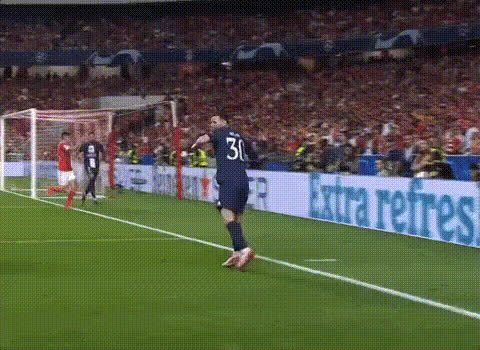
Template preview

soccer-player-in-red-jersey

face-swap

1 clip
0 uses

Any aspect ratio

Tags

transformations

AI Face Swap Template for High-Quality, Realistic Video Edits

Use this template to create cinematic, high‑quality face swap videos in minutes. Whether you’re producing ad creatives, social content, product explainers, or UGC‑style campaigns, this Magic Hour AI template gives you a fast, repeatable way to generate consistent results.

This template is powered by Magic Hour’s core Face Swap technology and the Face Swap Video workflow.


What You Can Do With This Template

Use this template as a starting point and remix it in Magic Hour to:

  • Swap faces in existing video footage
    Take any video (talking head, lifestyle, product demo, meme, clip) and replace the subject’s face with your own, a client’s, or a character.

  • Create consistent creators or characters at scale
    Keep the same “virtual spokesperson” across dozens of assets. Pair with AI Talking Photo or Lip Sync to generate large content batches.

  • Localize campaigns and experiments quickly
    Produce multiple versions of the same creative with different faces for A/B testing, regional personalization, or creator‑specific variants.

  • Generate safe demo footage
    Use an in‑house or synthetic face instead of a real user for case studies, product walkthroughs, and prototypes.

Creators use AI face swap workflows today for:

  • UGC‑style ads and influencer campaigns
  • Brand ambassadors and virtual hosts
  • Meme content and social shorts
  • Internal training, documentation, and pitch videos

How to Remix This Template in Magic Hour

You can create your own version of this template in a few minutes. A typical workflow looks like this:

  1. Open the Face Swap Template Flow

    • Start from this template or open the main Face Swap Video page.
    • Load the template to clone its structure, then modify assets to fit your brand.
  2. Add or Replace the Source Video

    • Upload your base video (e.g., talking head, interview, product demo, reaction clip).
    • For best results, choose footage where the subject’s face is:
      • Clearly visible and mostly facing the camera
      • Well lit (no extreme backlighting or heavy shadows)
      • Not heavily blocked by hands, hair, or objects
  3. Upload the Face You Want to Insert

    • Provide a clear reference photo or frame of the person whose face you want to add.
    • Good reference images are:
      • High‑resolution
      • Front-facing or slightly angled
      • Neutral or natural expressions
    • For polished, consistent faces, you can generate them first with:
  4. Preview, Iterate, and Remix

    • Run the template once to get a preview.
    • Duplicate the template and swap in new faces, new base videos, or both.
    • Build a library of “reusable recipes” for different brands, clients, or campaigns.
  5. Export and Reuse

    • Download the final video for use across ads, social platforms, product pages, or internal decks.
    • If you’re building pipelines, you can standardize on this template and simply swap inputs for each new batch.

Tips for Better AI Face Swap Quality

Face swap quality depends heavily on input quality and composition. Practical guidelines:

  • Use high‑quality source material

    • Clear 720p+ video and sharp face images noticeably improve realism.
    • If your input image is low‑res, first enhance it with the AI Image Upscaler or Unblur Image.
  • Match lighting and angle when possible

    • Try to pick face photos with similar lighting direction and approximate angle to the target video.
    • Avoid extreme side profiles if your reference is strictly front‑facing.
  • Keep expressions natural

    • Neutral or subtle expressions on the reference face tend to adapt better to the target video’s motion and emotions.
  • Mind movement and occlusion

    • Rapid head turns, heavy motion blur, or faces frequently blocked by hands or objects can reduce quality.
    • For more dynamic shots, test shorter clips first and iterate.
  • Respect ethics and consent

    • Only swap faces you have rights and permission to use.
    • Avoid misleading, deceptive, or harmful use cases. Many jurisdictions already regulate deepfakes; always follow local laws and platform policies.

For additional background on ethical considerations and emerging regulations around deepfakes, see:

  • U.S. Federal Trade Commission guidance on AI‑generated content and deception
  • EU AI Act proposals on transparency for synthetic media
  • Major platform policies (Meta, TikTok, YouTube) around manipulated media

Combine This Template With Other Magic Hour Tools

You can chain this template with other Magic Hour tools to build richer workflows:


Example Use Cases for Creators, Marketers, and Builders

This template is optimized for practical, production‑ready workflows:

  • Performance Marketing Teams

    • Test different spokespersons or personas on the same script.
    • Localize creatives for different markets while keeping the same core footage.
    • Rapidly generate variants for Facebook, TikTok, YouTube, and programmatic display.
  • Startups and Product Teams

    • Create founders’ or PMs’ walkthroughs without re‑filming every version.
    • Build internal documentation and training where the “host” stays visually consistent.
    • Prototype brand ambassadors or support avatars.
  • Agencies and Production Studios

    • Offer AI‑enhanced personalization to clients without custom model training.
    • Maintain visual continuity for fictional characters or mascots across campaigns.
    • Produce large creative batches fast while protecting real talent’s time and image.
  • Developers and Technical Creators

    • Use this template as a repeatable “node” in your internal content pipeline.
    • Standardize inputs/outputs so non‑technical teams can trigger new renders with minimal instructions.

How to Customize This Template for Your Brand

When you remix this template in Magic Hour, you can:

  • Swap brand‑specific footage
    • Replace the base clip with your product demos, app walkthroughs, or lifestyle shots.
  • Create a library of faces
    • Maintain a folder of approved faces (founders, creators, brand characters, synthetic personas) you can plug into any future project.
  • Align with your visual identity

By standardizing on a single template, your team can move from concept to dozens of on‑brand assets with minimal friction.


Related Magic Hour Templates and Tools

If you like this Face Swap template, you may also want to explore:

  • Face Swap Video – main flow for video face swaps
  • Lip Sync – sync mouth movements to audio for talking avatars
  • Video to Video – restyle or transform existing videos
  • Animation – generate animated sequences that can later be combined with face swaps
  • Face Swap (GIF) – create short, shareable GIF‑style face swaps for social

Use this template as your base, duplicate it for each project, and build your own private catalog of face swap workflows in Magic Hour that your team can reliably reuse and scale.

More Like This

Insufficient credits