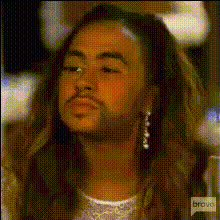
phaedra-parks-on-rhoa-1
Overview
Step into the spotlight of "Real Housewives of Atlanta" with the "Phaedra Parks Video Face Swap" template. This ingenious tool lets you trade faces with the iconic Phaedra Parks, allowing for unique and humorous video content that's hard to ignore. Perfect for boosting your social media engagement.
What It Does
The "Phaedra Parks Video Face Swap" template provides a seamless way to take any video clip and swap your face with Phaedra Parks'. Using advanced AI technology, this template ensures high-quality results that maintain the original video's dynamics while inserting your likeness effortlessly.
This template supports common video file formats and integrates well with other tools, such as the AI Meme Generator and the AI Clothes Changer, amplifying creativity.
Who It's For
This tool is perfect for content creators, influencers, and social media enthusiasts who thrive on humor and creativity. It's also a valuable asset for marketers looking to enhance engagement through entertainment.
Whether you're making a playful post for personal accounts or developing content for a brand, this template offers a straightforward approach to creating captivating videos.
Summary
Combine the fun of face swapping with the fame of Phaedra Parks, all in one easy-to-use template. With robust AI driven by our Flux Schnell model, your social media content can reach new levels of engagement.
Explore more video tools on AI Video Generator and start transforming your creative vision into shareable moments.
How to Use
Select the Template

Customize Your Inputs

Generate Your Face Swap Video

Use Cases
Social Media Engagement
- Instagram Stories & Reels
- TikTok Challenges
Marketing Campaigns
- Branded content
- Promotional videos
Celebrity Fan Creations
- Fan compilations
- Celebrity mashups
Best Practices
Choose Clear Source Videos
Ensure the video you select has good lighting and clear footage of both faces for optimal results.Align Faces Properly
Take the time to correctly align your face with Phaedra's to maintain the natural look of the video.Utilize Editing Tools
After generating your video, use the AI Image Editor to tweak the result for colors and contrasts, bringing consistency throughout the frames.