Middle Finger Gesture Meme
Overview
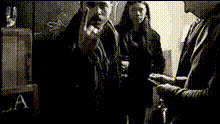
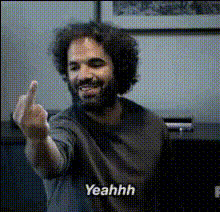
The Middle Finger Gesture Meme template is designed for those wanting to add a humorous twist to their visual content. By utilizing a Video Face Swap process, this template enables you to superimpose facial features onto a person making the middle finger gesture in a video. It's an ideal choice for meme creators and social media enthusiasts looking to engage their audience in a lighthearted way.
What It Does
This template allows for effortless video transformation by swapping faces in a clip where the subject uses the middle finger gesture. Apart from face swapping, it integrates well with other AI tools such as the AI Meme Generator and the AI GIF Generator to enhance the comedic effect. You can easily create shareable and viral content that resonates across multiple social media platforms.
Who It's For
Targeted towards content creators, meme enthusiasts, and marketers, this template is perfect for anyone looking to experiment with humor in their video content. It's particularly useful for those involved in social media ads campaigns, where capturing attention quickly is paramount. Additionally, comic writers and video editors will find this tool valuable for generating quick laughs and entertainment.
Summary
Get started with the Middle Finger Gesture Meme template to create funny, engaging videos by swapping faces on humorous gestures. Seamlessly integrate with related tools like the AI Image Editor for enhanced post-production effects. This template promises to be an asset in your creative toolkit, ensuring your content remains fresh and entertaining.
How To
Choose the Template

Customize Your Inputs

Generate and Download

Use Cases
Meme Creation
- Viral content
- Social media engagement
Social Media Fun
- Instagram Reels
- TikTok Videos
Marketing Campaigns
- Brand engagement
- Increased reach
Best Practices
Select High-Quality Videos
Ensure the original video is of high quality for the best face swap results.Choose Clear Face Images
Use clear, high-resolution images of the face you want to swap to avoid distortions.Leverage Complementary Tools
Enhance your final product using the AI Image Editor for touch-ups post face swap.