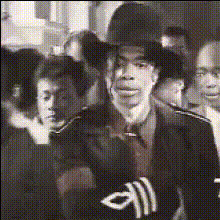
Man In Sunglasses And Hat
Overview
The "Man In Sunglasses And Hat" video face swap template allows you to inject a sense of fun and creativity into your projects. Using advanced facial transformation technology, this template enables users to overlay their face onto the subject in the video, bringing personalized entertainment to any scenario.
What It Does
This Video Face Swap template transforms the appearance of the subject in your videos to feature a face you choose. Perfect for creative projects or playful content, it lets you become or substitute any persona effortlessly, enhancing your video storytelling.
Convert ordinary moments into extraordinary scenes by manipulating video faces with high accuracy, combining seamlessly with tools like the AI Video Generator to further refine and create polished videos.
Who It's For
Content creators, social media enthusiasts, and video producers who love to experiment with visual transformations will find this template invaluable. It's particularly beneficial for influencers looking to add a humorous twist to their stories. Additionally, educators and marketers can use this template to engage audiences through unique and personalized video content.
Pair it with the AI Clothes Changer for even more dynamic transformations.
Summary
With the "Man In Sunglasses And Hat" template, you can easily create engaging videos that capture attention. Its adaptability makes it ideal for a variety of applications, from personal projects to professional content creation. By leveraging tools like the AI Image Editor, you can ensure your video transformations achieve exceptional quality.
How-To
Choose the Template

Customize Your Swap

Generate Your Video

Use Cases
Social Media Content
- Create funny TikTok videos
- Enhance Instagram stories
Marketing Campaigns
- Personalize video ads
- Increase viewer engagement
Educational Content
- Demonstrate concepts with humor
- Make learning more engaging
Best Practices
Choose a High-Quality Face Image
For the best results, ensure the face image you upload is high-resolution and well-lit.Align Facial Features Carefully
Make sure the face is aligned correctly for realistic video integration.Experiment with Additional Features
Utilize tools like the AI Image Upscaler to enhance image quality before applying the swap.