Template preview

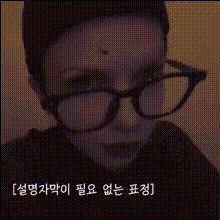
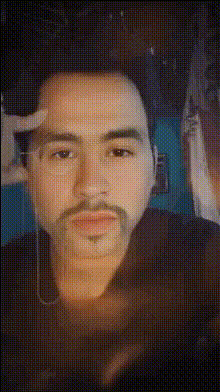
Man In Glasses Looks Camera

Video Face Swap
1 clip
0 uses

Any aspect ratio

Tags

transformations

Overview

The "Man In Glasses Looks Camera" template offers a dynamic Video Face Swap experience, allowing you to transform facial features in videos with ease. This template features a character wearing glasses and looking directly at the camera, setting the stage for amusing and engaging content creation.

What It Does

This template facilitates swapping faces in a video where the character is a man with glasses looking at the camera. Use it to superimpose another person's face onto this character, creating humorous or personalized video content. Ideal for short clips, social media content, or just sharing laughs with friends.

Who It's For

Perfect for creators looking to craft funny or personalized videos. Whether you're a social media influencer, a digital marketer looking to engage followers, or just someone wanting to have fun with friends, this template ensures your videos grab attention.

Summary

Explore the capabilities of our Video Face Swap models with the "Man In Glasses Looks Camera" template. Simplicity meets fun as you create entertaining video content quickly, using a notable character as your base. Pair it with other tools like the Face Swap or Lip Sync for even more creativity.

How To Structure

    01

    Choose Your Template

    Navigate to the Face Swap Templates page and select "Man In Glasses Looks Camera".
    02

    Customize the Video

    Upload the face image you wish to swap. Adjust positioning as needed to match facial features precisely.
    03

    Generate Your Video

    Click 'Generate' to process the video. Once complete, download your file in the available format and share it as you wish.

Use Cases

📱

Social Media Content Creation

Engage your audience with funny and creative video content using face swaps.
💼

Marketing and Promotions

Develop personalized ads and promos that feature unexpected character transformations.
😂

Personal Entertainment

Create amusing videos to share with friends and family for laughs and enjoyment.

Best Practices

  • Choose High-Quality Images

    Ensure the faces you wish to swap are high-resolution to maintain video clarity and realism.
  • Align Facial Features

    Properly align the new face with the original, focusing on facial points for a seamless swap.
  • Optimize Lighting and Color

    Adjust lighting and color tones to match the new face with the existing video for a coherent look.


Frequently asked questions

The Video Face Swap tool typically exports in MP4 format, optimized for easy sharing on various platforms.

Yes, you can make adjustments to the face alignment and other elements, then re-generate the video for the best results.

The generation time can vary based on the video length and image quality, but it usually takes just a few minutes.

Yes, you can try various face images during the customization phase to see which fits best before generating the final video.

More Like This

Man In Glasses
Man In Glasses
Man Smiling In Glasses
Man Wearing Glasses (2)
Man With Glasses And Hat
1
Man With Glasses And Hat
Man With Glasses Smiling
2
Man With Glasses Smiling
Man With Sunglasses
Man With Sunglasses
Man In Sunglasses
Man In Sunglasses
Man Wearing Glasses
2
Man Wearing Glasses
Man With Glasses 1
Man With Glasses 1
Man With Glasses Smiling 1
Man With Glasses
Man With Glasses
Man With Video Camera

Face Swap Video