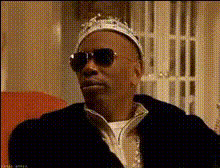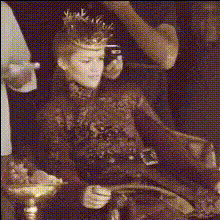
King Sitting On Throne
Overview
Embrace your inner royalty with the 'King Sitting On Throne' video face swap template. This template allows you to transform your face into that of a king sitting on a majestic throne, providing an imposing and regal look perfect for your social media profiles and creative endeavors.
What It Does
The 'King Sitting On Throne' template uses advanced face swap technology to replace the face of the seated king with your own. Through precise algorithms, your facial features are seamlessly integrated with the video of a king in a royal setting. Enhance your projects by adding a touch of royalty, or share striking content across your social media.
For even more creative possibilities, explore our Face Swap and AI Talking Photo products to add dynamic expressions and voices to your video.
Who It's For
This template is perfect for content creators, influencers, and social media enthusiasts looking to add a royal flair to their posts. Whether you are crafting engaging content for Instagram or creating unique videos for TikTok, this template allows you to capture attention with its regal aesthetics.
Additionally, those working in entertainment and digital media will find the template invaluable for creating memorable promotional content. Check out our Image to Video converter to complement your video face swap projects with even more flexibility.
Summary
With the 'King Sitting On Throne' video face swap template, infuse your creative projects with an air of royalty. Ideal for making standout social media content, this tool helps you elevate any video by placing yourself on a throne, literally and figuratively. Pair it with our AI Image Editor to refine the visuals further and make each scene picture-perfect.
How-To
Choose the Template

Customize Your Features

Generate Your Video

Use Cases
Social Media Content
- Engaging video stories
- Creative photo reels with a royal theme
Promotional Material
- Luxury product showcases
- Regal-themed event promos
Personal Fun and Creativity
- Birthday greetings with a royal twist
- Funny video to share in group chats
Best Practices
Use High-Quality Photos
Upload a clear and high-resolution photo to ensure accurate face alignment.Adjust Lighting and Angles
Match your photo's lighting and angle with the video for a natural blend.Explore Additional Features
Enhance your project further by using tools like the AI Clothes Changer for additional costume modifications.