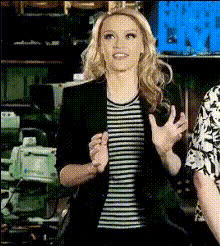
Kate Mckinnon Smiling In Restaurant
Overview
Step into the realm of creativity with the "Kate McKinnon Smiling in Restaurant" Video Face Swap template. Transform your video content by swapping faces with the comedy icon herself, adding a humorous twist to any project. This template is perfect for personal use, social media content, or creating shareable moments.
What It Does
This Face Swap video template allows you to replace faces in a pre-existing video of Kate McKinnon smiling in a charming restaurant setting. By using advanced face substitution technology, the template provides a realistic and entertaining swap experience. For more creative transformations, check out the Video Face Swap and Face Swap tools available on Magic Hour.
Who It's For
This template is ideal for content creators, filmmakers, or social media managers looking to add a humorous touch to their content. If you're involved in crafting engaging personalized campaigns or creating viral social media content, this Video Face Swap template is a great addition to your creative toolkit. Explore other resources such as the AI GIF Generator for more dynamic content options.
Summary
Enliven your video projects with the "Kate McKinnon Smiling in Restaurant" Face Swap template. By leveraging state-of-the-art face-swapping capabilities, this tool offers an innovative way to create unique and entertaining videos. Delve deeper into the world of video modifications by exploring the Image to Video and AI Talking Photo products offered by Magic Hour.
How-To
Choose the Template

Customize Your Inputs

Generate Your Video

Use Cases
Social Media Content
- Instagram reels
- TikTok challenges
- Facebook stories
Personalized Greetings
- Birthday messages
- Holiday wishes
- Special event shout-outs
Brand Advertising
- Product launch teasers
- Interactive campaigns
- Influencer collaborations
Best Practices
Choose High-Resolution Images
Use high-quality images for both the source and target faces to ensure the best results.Adjust Face Alignment
Ensure that the face is properly aligned with Kate McKinnon's in the video for realistic swaps.Preview Before Finalizing
Take advantage of preview options to make sure your swap is perfect before downloading.