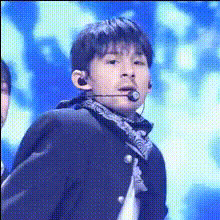
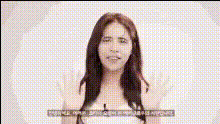
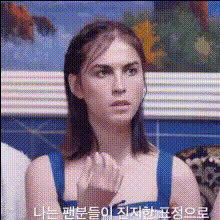
The K Pop Star Profile template is designed to create engaging videos using the Video Face Swap feature. Transform your footage by placing yourself or your clients into the spotlight as your favorite K-Pop star. This tool helps craft captivating content ideal for fans, creators, and marketers alike.
What It Does
This Video Face Swap template enables you to overlay one face onto another, merging expressions and movements for realistic results. Especially suited for K-Pop enthusiasts, it provides a seamless experience in transforming ordinary footage into eye-catching K-Pop star profiles. Consider integrating this tool with the AI Image Editor to refine your visuals or the AI GIF Generator for creating short, shareable clips.
Who It's For
This template is perfect for content creators, K-Pop fans, and digital marketers looking to create personalized video content. Whether you're aiming to boost fan engagement or add unique content to your channel, the Video Face Swap tool makes it simple. Professional marketers can also leverage this feature for dynamic social media ads.
Summary
Elevate your video projects with the K Pop Star Profile template. By using the Video Face Swap feature, it delivers a high-quality transformation that resonates with fans and followers. Pair this with other tools like the AI Voice Changer for a fully immersive experience.
How to Use
01
Choose
Start by locating the K Pop Star Profile template under the Face Swap Templates section.
02
Customize
Upload the video clip where you want the face swap to occur. Select the K-Pop star face you wish to use or upload a custom face for swapping.
03
Generate
Click 'Create' to process your video. Once generated, preview the result and download your new K-Pop star profile video.
Use Cases
🎤
Fan Videos
Create personalized fan videos with a touch of originality.
📱
Social Media Content
Engage your audience with unique and captivating video content tailored to their tastes.
📈
Marketing Campaigns
Develop innovative marketing materials by integrating popular culture with personalized elements.
Best Practices
High-Quality Uploads
Use high-resolution video clips to ensure the best swap quality and realistic results.
Consistent Lighting
Maintain consistent lighting between the faces being swapped to achieve more natural results.
Preview Before Download
Always preview your video after processing to make sure the swap looks seamless before downloading.