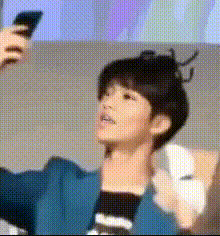
Jhope Taking Selfie
Overview
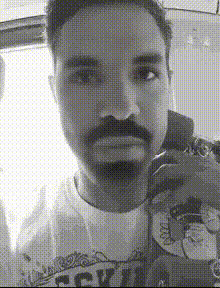
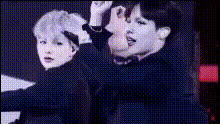
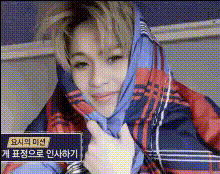
The "Jhope Taking Selfie" template allows users to create engaging, face-swapped videos with the famous celebrity, Jhope, as if he's taking a selfie. This template is perfect for fans who want to infuse their content with fun and creativity or simply to have a memorable digital keepsake.
What It Does
The Video Face Swap template takes your image and seamlessly integrates it with a selfie video. The face swap technology ensures a realistic appearance that aligns perfectly with the dynamic movement of taking a selfie in the video. It creates a fun and interactive way to experience and share your content.
For creators looking to further enhance their projects, consider using our AI Video Generator to develop longer narratives or intricate video projects.
Who It's For
This template is ideal for influencers, content creators, and anyone looking to spice up their social media presence with something unique and entertaining. It's an excellent fit for Jhope fans, individuals aiming to create personalized fan content, or marketers seeking innovative ways to engage with audiences.
Combine this with our Audio-to-Video tool to add soundtrack layers and further elevate your content's appeal.
Summary
Utilizing the "Jhope Taking Selfie" template, users can effortlessly insert their faces into Jhope's selfie video, creating a one-of-a-kind personalized fan experience. It's a delightful way to engage with his fanbase and produce shareworthy content. Dive deeper into face swap possibilities with our Face Swap products to explore a range of other transformative tools.
How to Use
Choose Your Template

Customize with Your Image

Generate Your Video

Use Cases
Fan Content Creation
- Create personalized shout-outs
- Share on fan pages
- Design unique digital memorabilia
Social Media Engagement
- Craft unique Instagram stories
- Post on TikTok to grab attention
- Incorporate in vlogs for a fun segment
Marketing Campaigns
- Embed in email campaigns
- Create viral marketing videos
- Customize influencer collaborations
Best Practices
Select High-Quality Images
For a more realistic output, use high-resolution images with good lighting.Align Faces Properly
Ensure the subject's face is aligned closely with the video's orientation to maintain consistency.Preview Your Video
Before finalizing, preview the video to check for any alignment issues or desired edits.