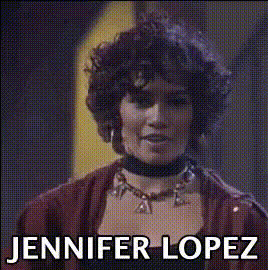
Jennifer Lopez Judges Expression
Overview
Capture the essence of Jennifer Lopez with our Video Face Swap template that brings her judging expressions uniquely to your videos. This template employs advanced technology to overlay JLo's facial expressions directly onto your footage, creating authentic and attention-grabbing results. With formats optimized for social media and professional presentations, this tool blends cutting-edge AI with popular culture features.
What It Does
The Jennifer Lopez Judges Expression template is a specialized Video Face Swap tool that superimposes JLo's iconic facial expressions onto any selected subject in your video. Whether you're looking to enhance a presentation or create viral social media content, this template adapts seamlessly, integrating detailed expressions without compromising video quality.
By utilizing this template, users can ensure their content stands out, drawing from the familiarity and appeal of Jennifer Lopez's personality. Combine it with tools like our AI GIF Generator or AI Talking Photo for expanded creative possibilities.
Who It's For
Ideal for content creators, marketers, and social media influencers, this Video Face Swap template is perfect for anyone aiming to boost engagement through tailored and recognizable facial transformations. Media professionals can use it to add flair to commercials, while influencers can enrich their posts with memorable expressions, injecting humor or drama into any video material.
Personalize further with our Face Swap and AI Image Editor tools for a comprehensive editing experience.
Summary
The Jennifer Lopez Judges Expression template allows you to integrate expressive facial swaps into your video projects effortlessly. It offers a distinctive blend of entertainment and personalization, ensuring your content resonates with viewers. Combined use with other Magic Hour tools, like the AI Voice Changer, can further enhance the creative output, providing endless possibilities for engaging videos.
How To
Choose Your Template

Customize Your Video

Generate Your Video

Use Cases
Social Media Content
- Create relatable TikTok clips
- Craft humorous Instagram reels
Marketing Campaigns
- Boost viewership with familiar faces
- Engage viewers in localized ads
Video Presentations
- Spice up employee training videos
- Create engaging corporate presentations
Best Practices
Select High-Quality Footage
Ensure your source videos are of high quality to achieve the best overlay results.Align Facial Movements
Carefully align the expressions to match the original subject's movements for a seamless transformation.Enhance with Voice Effects
Consider using the AI Voice Changer to match the audio with visual changes for a complete experience.