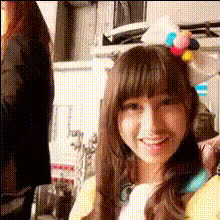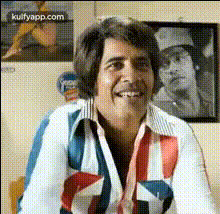
Gintoki Smiling
Overview
The Gintoki Smiling template is a delightful Video Face Swap tool designed to add a dash of humor and personality to your digital content. Whether you're a fan of anime or just looking to inject some fun into your videos, this template lets you swap any face with Gintoki’s iconic smile.
It’s an intuitive tool that augments your creative projects and brings a touch of transformation to your videos, making it ideal for diverse content creation needs.
What It Does
This template allows you to take any video featuring a person's face and replace it with Gintoki’s smiling face, creating a humorous impact. With seamless integration capabilities, it's perfect for crafting engaging and memorable meme videos and social media content.
The tool supports various video file formats and integrates smoothly with other Magic Hour features like the AI Video Generator for extended video projects.
Who It's For
This template is ideal for content creators, influencers, and anime enthusiasts who wish to add a playful twist to their videos. It is also well-suited for marketers looking to create shareable social media ads that capture attention and evoke positive emotions.
Teachers and entertainers can also use this for creative educational content or engaging humorous presentations.
Summary
The Gintoki Smiling template transforms your videos with a humorous twist by swapping faces with the iconic anime character. It offers flexibility and high compatibility with other features like the AI Image Editor for detailed adjustments and finishing touches.
This makes it an exciting tool for creating vibrant and lively video content.
How To
Choose Your Template

Customize Your Video

Generate Your Creation

Use Cases
Social Media Content
- Become a viral trendsetter
- Boost engagement with humorous content
Marketing Campaigns
- Attract a younger audience
- Make your brand memorable
Personal Entertainment
- Share laughs at gatherings
- Personalized entertainment
Best Practices
Choose High-Quality Source Videos
Ensure the video you upload has a good resolution for the best face swap results. Clear footage results in more accurate face replacements.Use Appropriate Lighting
Videos with balanced lighting help the tool perform optimally, making the face swap look natural and seamless.Explore Complementary Tools
After swapping faces, use the AI Image Editor to adjust colors and touch up details for a polished final product.