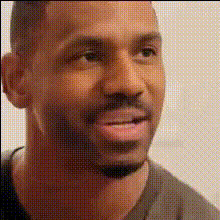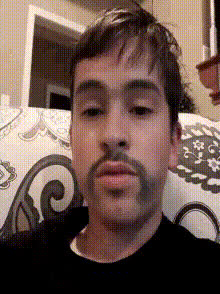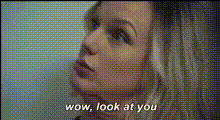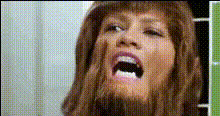
Template preview

Funny Face With Glasses 1

Video Face Swap
1 clip
0 uses

Any aspect ratio

Tags

transformations

Overview

The "Funny Face With Glasses 1" template is an entertaining way to create amusing Video Face Swap projects. By incorporating quirky glasses, this template adds a playful twist to your video content, bringing smiles and laughter to your audience. With straightforward customization options, it's designed for both professional creators and casual users looking to add humor to their productions.

What It Does

In the "Funny Face With Glasses 1" template, users can swap faces on video sequences, while adding a distinct pair of glasses to the swapped faces for comedic effect. This template supports various video formats, making it versatile for different platforms. It aligns with Magic Hour's other transformation tools like the AI Image Editor and AI Video Extender, enhancing your creative toolkit.

Who It's For

This template is ideal for content creators aiming to inject humor into their videos. Whether you're a social media influencer, marketer creating engaging content, or someone just looking to amuse friends, the "Funny Face With Glasses 1" is perfect for you. It can also be used in educational settings to make training videos more engaging, paired with resources like Social Media Ads.

Summary

Overall, the "Funny Face With Glasses 1" template is a delightful and user-friendly tool for those seeking to create humorous, engaging video content. By providing an effortless way to apply face swaps with a humorous twist, it complements our extensive range of video editing products, such as the AI Video Generator and Text to Video.

How To

Follow these simple steps to create your entertaining video face swap.
    01

    Choose Your Template

    Navigate to the Video Face Swap section of Magic Hour, and select the "Funny Face With Glasses 1" template to begin your project.
    02

    Customize Your Video

    Upload your video or choose from existing clips where you want to apply the face swap. Customize the fit and style of the glasses as desired.
    03

    Generate Your Video

    After customization, click the 'Generate' button to process your video. Once completed, download your file in the desired format.

Use Cases

Explore versatile scenarios for using this fun and dynamic template.
📱

Social Media Content

Create funny and engaging videos for TikTok, Instagram, and more.
💼

Marketing Campaigns

Add humor to your promotional videos and increase audience engagement.
🎭

Comedy Skits

Use for online comedy sketches and video production to add comedic value.
🧑‍🏫

Educational Videos

Make learning captivation by introducing humor into training modules.

Best Practices

Maximize the effectiveness and impact of your humorous video content.
  • Choose Clear Footage

    Ensure your input video has clear and well-lit faces for the best swap results.
  • Mind the Duration

    Keep videos concise to maintain engagement and emphasize humor.
  • Test on Multiple Devices

    Preview your video on various devices to ensure quality across platforms.
FAQs

This template supports commonly used video formats such as MP4 and MOV.

Yes, during customization, you can alter the size and fit of the glasses to match the face.

It's best used on videos with distinct, front-facing headshots for optimal results.

The generation time varies depending on the video's length and resolution, but typically completes within a few minutes.

More Like This

Funny Face Close Up 1
2
Funny Face Close Up 1
Funny Face Close Up
1
Funny Face Close Up
Funny Face Closeup
3
Funny Face Closeup
Funny Face Expression 2
Funny Face With Glasses 2
1
Funny Face With Glasses 2
Funny Face With Glasses
Funny Face Close Up 2
Funny Face Closeup 1
Funny Face Expression 1
Funny Face With Glasses 3
3
Funny Face With Glasses 3
Funny Face With Hands
1
Funny Face With Hands
Man Wearing Glasses Funny Face

Face Swap Video