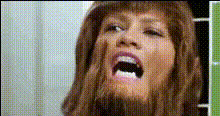
Funny Face Dont Listen
Overview
Unleash your creativity with the Funny Face Don't Listen template. This Video Face Swap tool allows you to inject humor into any video by swapping faces in a comedic context. Whether it's for social media fun or personal projects, this template adds a layer of amusement to your content using advanced facial recognition and mapping technology.
What It Does
The Funny Face Don't Listen template uses Face Swap technology to superimpose faces and create lighthearted, comical videos. By identifying facial landmarks and integrating them with other video elements, you can produce engaging and funny transformations that captivate and entertain.
Combine this functionality with features from AI Voice Changer to add quirky voiceovers or choose a suitable background using the AI Background Changer. This versatility ensures your video stands out with both visual and auditory humor.
Who It's For
This template is ideal for content creators who want to add a humorous twist to their videos. Social media influencers, comedians, and digital marketing teams can leverage the Funny Face Don't Listen template to boost engagement and viewer interaction. It's also suitable for corporate teams aiming to introduce fun elements in internal communications or team-building initiatives.
Summary
The Funny Face Don't Listen template is your go-to tool for injecting humor into videos through face-swapping. It provides creators with the ability to craft personalized, entertaining content that is sure to delight audiences. Start exploring this and other transformation tools like the Body Swap or explore further with our Image to Video for expanded creative possibilities.
How-to
Choose Your Template

Customize Your Inputs

Generate Your Video

Use Cases
Social Media Content
- Engage audiences on platforms like TikTok and Instagram
- Create meme-worthy content quickly
Marketing Campaigns
- Create viral ads that harness humor
- Enhance brand interaction with light-hearted content
Event Highlights
- Spice up wedding or party videos
- Create humorous highlights for corporate retreats
Best Practices
Choose Clear Videos
Start with high-quality video sources to ensure the swapped faces are crisp and clear.Consider Lighting
Good lighting enhances facial recognition accuracy, making the swap appear more natural.Experiment with Expressions
Try using a range of expressions for the faces being swapped to increase the comedic effect.