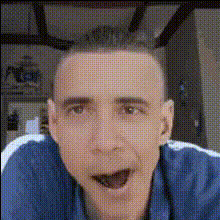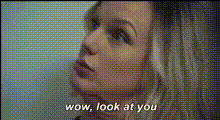
Template preview

Funny Face Close Up 6

Video Face Swap
1 clip
0 uses

Any aspect ratio

Tags

transformations

Overview

Dive into the world of creative transformations with the Funny Face Close Up 6 template. Tailored for those looking to create fun and engaging video content, this Video Face Swap tool brings out the comedic side of facial animations.

What It Does

The Funny Face Close Up 6 template enables you to swap faces in video clips, adding a humorous twist to your content. Great for personal and social media use, it's designed to bring laughter and engagement to your audience. Explore its potential through our Image to Video processes, or see how it pairs well with the AI Image Editor for even more creative possibilities.

Who It's For

This template is perfect for content creators, social media enthusiasts, and anyone looking to add a comedic touch to their videos. Whether you're working on meme videos, YouTube shorts, or just want to entertain friends, the Funny Face Close Up 6 offers a simple yet effective solution.

Summary

Transform ordinary clips into laugh-out-loud moments with the Funny Face Close Up 6 template. With its easy-to-use interface and seamless integration, you'll find creating engaging content is both quick and rewarding. Also, consider trying the AI GIF Generator for turning these moments into shareable GIFs.

How-To Structure

Follow these steps to use the Funny Face Close Up 6 template effectively:
    01

    Choose Template

    Open the Magic Hour platform and navigate to the Video-to-Video section. Select the 'Funny Face Close Up 6' template from the available options.
    02

    Customize Your Video

    Upload your video and select the face you wish to swap. Adjust parameters and prompts if needed to enhance or personalize the humor in your clip.
    03

    Generate and Share

    Click 'Generate' to create your new video. Once processed, download your creation and share it across social media platforms for maximum engagement.

Use Cases

Harness the potential of the Funny Face Close Up 6 template in various scenarios:
📷

Social Media Entertainment

Grab attention and increase views with humorous content tailored for viral potential.
  • Instagram Reels
  • TikTok Videos
  • Facebook Stories
🎉

Personal Projects

Add a fun twist to home videos or private collections, creating memories filled with laughter.
  • Family gatherings
  • Birthday parties
💡

Marketing Campaigns

Lighten up your brand's marketing with humorous product video content.
  • Promotional clips
  • Meme advertisements

Best Practices

Optimize your experience with these tips for using the Funny Face Close Up 6 template:
  • Select High-Quality Video

    The clearer the video, the more effective the face swap process. Use HD clips for best results.
  • Emphasize Key Features

    Focus on expressions that are humorous, as they make the swap even more engaging.
  • Combine With Other Tools

    Consider using the AI Image Editor to fine-tune details or the AI Meme Generator to expand your creative output.


Frequently asked questions

High-quality, clear videos with prominent facial expressions yield the best results for face swaps.

Yes, you can use it for commercial purposes, making it great for marketing and branding campaigns.

Use high-resolution video inputs and select well-lit scenes to enhance the accuracy of the face swap.

While there are no strict limits, shorter videos generally process faster and maintain higher quality.

More Like This

Funny Face Close Up 1
2
Funny Face Close Up 1
Funny Face Close Up 5
Funny Face Closeup 1
Funny Face Closeup 11
1
Funny Face Closeup 11
Funny Face Closeup 6
Funny Face Closeup 8
Funny Face Close Up 2
Funny Face Close Up
1
Funny Face Close Up
Funny Face Closeup 10
1
Funny Face Closeup 10
Funny Face Closeup 5
Funny Face Closeup 7
Funny Face Closeup
3
Funny Face Closeup

Face Swap Video