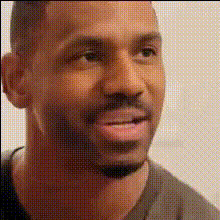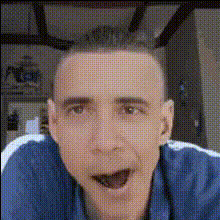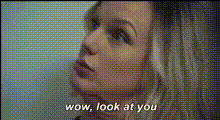
Template preview

Funny Face Close Up 3

Video Face Swap
1 clip
0 uses

Any aspect ratio

Tags

transformations

Overview

The Funny Face Close Up 3 template offers a playful way to revamp your videos. With the precision of AI-powered technology, it provides dynamic face swaps that bring humor to your visual content.

What It Does

This Video Face Swap template allows you to transform ordinary videos by swapping in funny faces. It effectively maps new face textures onto selected subjects, creating a comical and engaging effect.

Who It's For

Ideal for content creators and marketing teams looking to add a humorous angle to their projects. Whether you're producing social media ads, meme videos, or engaging clips, this tool brings an extra layer of fun.

Summary

With Funny Face Close Up 3, you can effortlessly craft engaging and entertaining video content. Discover the hilarious outcomes that capture attention and amplify your creative storytelling.

How To

    01

    Choose Template

    Navigate to the Templates page and select the Funny Face Close Up 3 option from the list of Video Face Swap templates.
    02

    Customize Inputs

    Upload your video file, and select the faces you want to transform. Adjust any settings to refine the swap effect to your liking.
    03

    Generate Video

    Click on 'Generate' to start processing. Once complete, download your modified video file in the desired format and share the laughs.

Use Cases

📱

Social Media Content

Create shareable and viral content quickly.
  • Great for TikTok and Instagram Reels
  • Boosts engagement through humor
🎯

Marketing Campaigns

Infuse your ads with a fun twist to capture attention.
  • Enhances brand relatability
  • Encourages viewer sharing
🎭

Entertainment Videos

Add comic relief to your video series or sketches.
  • Perfect for YouTube channels
  • Engages viewers with visual humor

Best Practices

  • Select Clear Videos

    Ensure your input videos have well-lit and clear subjects for optimal face swap results.
  • Experiment with Faces

    Try different faces to see which ones produce the funniest outcomes.
  • Review Before Finalizing

    Always watch the generated video to ensure face swaps align properly with expressions and movements.


Frequently asked questions

You can upload popular video formats like MP4 or MOV for compatibility with the Video Face Swap tool.

The tool utilizes advanced AI to map faces with high accuracy, but results may vary depending on video quality and lighting.

Yes, you can apply different face swaps to multiple subjects within the same video file.

While there's flexibility, higher-resolution videos yield the best face swap effects due to more detail in facial features.

More Like This

Funny Face Close Up 1
2
Funny Face Close Up 1
Funny Face Close Up 4
7
Funny Face Close Up 4
Funny Face Close Up
1
Funny Face Close Up
Funny Face Closeup 11
1
Funny Face Closeup 11
Funny Face Closeup 5
Funny Face Closeup 7
Funny Face Close Up 2
Funny Face Close Up 5
Funny Face Closeup 1
Funny Face Closeup 3
Funny Face Closeup 4
Funny Face Closeup
3
Funny Face Closeup

Face Swap Video