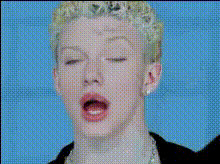
Funny Face Blonde Woman
Overview
Transform your video content with the 'Funny Face Blonde Woman' video face swap template. This engaging tool allows you to replace faces in video clips, introducing humor and creativity to your social media posts or personal videos. Perfect for crafting share-worthy moments that captivate audiences and spark engagement.
What It Does
The 'Funny Face Blonde Woman' template facilitates video face swapping, allowing you to insert a comedic face onto the body of a blonde woman. The result is a lighthearted video that can surprise your audience and create memorable content. Supported formats include typical video files, making it versatile for various platforms.
For added fun, consider exploring Lip Sync to animate spoken words or Head Swap for dynamic switches in more detailed scenarios.
Who It's For
Designed for content creators, social media enthusiasts, and anyone looking to inject humor into their video edits, this template is ideal for those with a creative flair. Whether you're an influencer aiming to engage followers or a casual user crafting fun videos for friends, this tool simplifies the face swap process, allowing your imagination to take the lead.
Summary
The 'Funny Face Blonde Woman' video face swap template is your go-to for creating humorous video clips that delight and engage viewers. Its straightforward approach to face swapping provides endless possibilities for generating standout content on platforms like Instagram or TikTok. Combine this with other tools like the AI Video Extender to enhance and prolong your creations.
How To
Choose the Template

Customize Your Swap

Generate Your Video

Use Cases
Social Media Content
- Share as stories or reels for high engagement.
- Perfect for highlight clips or challenges.
Marketing Campaigns
- Create memorable ads that stick with audiences.
- Use humor to convey your brand's personality.
Personal Projects
- Ideal for birthday wishes or party highlights.
- Make family gatherings more entertaining.
Best Practices
Choose Clear Images
For optimal results, use high-resolution images that clearly show the face you wish to swap, as clarity will impact how natural the final video appears.Match Face Angles
Ensure the face you're swapping matches the angle and size of the target in the video, enhancing the believability of the swap.Experiment with Other Tools
Combine with AI Talking Photo and Text-to-Video to expand your creative possibilities and craft even more engaging content.