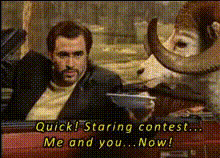
Face Swap Celebrity Portraits
Overview
With the Face Swap Celebrity Portraits template, you can turn ordinary videos into captivating celebrity portraits. This Video Face Swap template excels at substituting faces in your video footage with those of famous personalities, all while preserving the original video's dynamics. Transform party moments, create amusing clips for friends, or add a pop culture twist to personal videos.
What It Does
This template takes the innovative technology of Video Face Swap and applies it to your video files by swapping out your chosen faces with celebrity ones. Perfect for creating engaging and humorous content, this template integrates flawlessly into existing workflows, offering MP4 or MOV output formats ideal for social sharing and personal enjoyment.
Who It's For
Content creators, social media enthusiasts, and digital marketers will find the Face Swap Celebrity Portraits template indispensable. If you're looking to leverage pop culture in your creative projects or make compelling marketing materials, this tool is designed for you. Even educational experiences can benefit from this unique transformation—making learning both fun and memorable. See how this can be integrated into humorous campaigns using AI Meme Generator and Image to Video tools.
Summary
Inject your videos with celebrity glamor using the Face Swap Celebrity Portraits template. Whether it's for a personal laugh or a professional highlight reel, this tool offers endless creative possibilities. Transform your content easily and explore other dynamic personalization options with Head Swap and AI Talking Photo tools.
How To
Choose Your Template

Customize Your Video

Generate and Download

Use Cases
Social Media Promotion
- Create viral-ready videos quickly
- Add humor and cultural relevance
Event Highlights
- Swap faces in real-time event footage
- Offer unique keepsakes for guests
Creative Projects
- Make fun edits for video blogs
- Add a twist to narrative shorts
Best Practices
Choose High-Quality Videos
For the best results, ensure your original video is of high quality and well-lit.Select Recognizable Celebrities
Using well-known faces will make your content more appealing and readily understandable.Preview Before Finalizing
Always preview your changes to ensure desired output before exporting the final video.