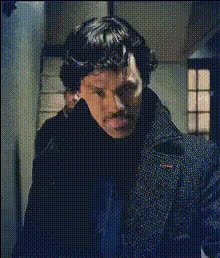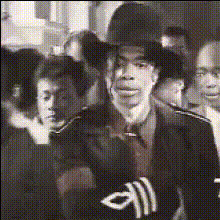
Elton John In Costume
Overview
Get ready to transform any video into a dazzling spectacle with the Elton John In Costume Video Face Swap template. This template leverages AI technology to overlay Elton John's unmistakable features onto faces in your media files. Perfect for creating captivating content with a touch of flamboyance.
What It Does
This Video Face Swap template uses advanced AI algorithms to replace faces in your video with Elton John's iconic look. It allows you to customize which faces to swap, ensuring a personalized and accurate transformation that maintains the original video's dynamics.
Compatible with multiple video formats, this template fits into various creative projects, from social media ads to meme videos, offering entertainment and style in every frame.
Who It's For
This template is ideal for content creators, marketers, and video enthusiasts looking to add a unique twist to their projects. Whether you're creating memes for social media or productions that require a humorous element, the Elton John In Costume template is your go-to choice for standing out.
Marketing teams can use it for attention-grabbing personalized video ads, while educators can create engaging learning materials that catch and hold viewers' interest.
Summary
The Elton John In Costume template is a premium tool for anyone looking to blend celebrity style with their video content. It offers easy integration with projects by effortlessly replacing faces with Elton John's image, ensuring your videos captivate and engage. Explore similar dynamic capabilities with the Face Swap or adventurous transformations from our Body Swap variants.
How To
Choose Your Template

Customize Inputs

Generate Your Video

Use Cases
Social Media Content
- Humorous TikTok videos
- Entertaining Instagram Reels
Marketing Campaigns
- Creative Facebook Ads
- Catchy YouTube Pre-Roll Videos
Educational Material
- Interactive learning modules
- Engaging presentation inserts
Best Practices
Select High-Quality Videos
For the best results, use videos with clear, well-lit subjects. This ensures that the face swap is smooth and convincing.Align Faces Accurately
Take the time to align faces properly in the editor to avoid mismatched features and maintain realism.Experiment with Settings
Utilize the customizable settings in the template to achieve the desired effect, from subtle integrations to dramatic transformations.