Dave Chappelle On Stage
Overview
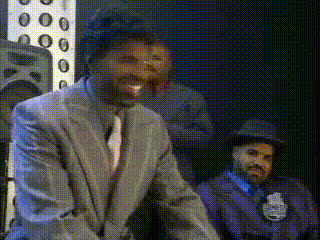
Bring the humor of Dave Chappelle to your own videos with the Video Face Swap template. This tool allows any user to insert their own face (or someone else's) into a clip of the iconic comedian on stage. With realistic transformations, this template is perfect for creating personalized comedy sketches.
What It Does
The Video Face Swap template lets you replace the face of Dave Chappelle with your own, maintaining the original video's dynamic expressions and gestures. This is made possible through advanced AI algorithms that ensure a seamless integration of your facial features while preserving the integrity of the video. Dive into the fun and transform your cinematic ideas with Character Replace technology.
Who It's For
This template is a fantastic tool for comedians, content creators, social media influencers, and anyone looking to add a humorous, personal twist to video content. It suits those who want to engage their audience with creative, shareable media. If you're involved in meme video production or run a comedy channel, this is a perfect feature to make your content unique.
Summary
With the Dave Chappelle On Stage template, users can effortlessly craft entertaining or promotional content that stands out. This template leverages leading-edge AI Image Generator technology to ensure high-quality transformations. By integrating this tool into your video editing arsenal, you'll unlock new creative possibilities and engage audiences in innovative ways.
How To
Choose Your Template

Customize Your Content

Generate Your Video

Use Cases
Comedy Sketches
Engaging Social Media Content
Marketing Campaigns
Best Practices
Ensure Good Lighting
For the best results, ensure that the image you are using has clear lighting and the faces are unobstructed.Select High-Quality Images
Use high-resolution images to ensure the swapped face looks natural and realistic.Experiment with Different Expressions
Try using images with different facial expressions for varied and exciting results, making use of the AI Face Editor for additional adjustments.