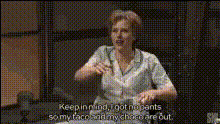
Template preview

Comedy Tv Show Clip

Video Face Swap
1 clip
0 uses

Any aspect ratio

Tags

transformations

Overview

Transform your ordinary videos into hilarious comedy TV show clips with our Video Face Swap template. By swapping faces on characters in your video, this template can bring a humorous twist perfect for social media sharing. Explore how this tool can help you create engaging content with minimal effort.

What It Does

The Comedy TV Show Clip template takes a basic video and applies a Video Face Swap to it, turning it into a delightfully comedic scene. It uses state-of-the-art technology to ensure the face swap is smooth and realistic. For a more comprehensive editing approach, consider exploring our AI Video Generator and AI Image Editor products, which offer additional effects and customization options.

Who It's For

This template is ideal for social media influencers, content creators, and anyone looking to add humor to their video productions. It's also a valuable tool for marketing teams aiming to create shareable content for platforms like TikTok and Instagram. Pair it with our AI GIF Generator to expand your content into different formats.

Summary

Our Comedy TV Show Clip template offers a unique opportunity to bring humor to your video content through advanced face-swapping techniques. By integrating this with other tools like the Lip Sync and Audio-to-Video products, you can enhance your creative outputs significantly.

How To

Follow these steps to start creating funny video clips with face swaps.
    01

    Choose Your Template

    Navigate to the Video Face Swap section, locate the Comedy TV Show Clip template, and select it to begin.
    02

    Customize Your Video

    Upload your video file and select the faces you want to swap. Preview the placement to ensure it meets your vision.
    03

    Generate Your Clip

    Click 'Generate' to process your video. Once complete, download the finished clip, ready for sharing.

Use Cases

Explore practical applications for the Comedy TV Show Clip template.
📱

Social Media Content

Create attention-grabbing videos that stand out on platforms like TikTok and Instagram.
📈

Marketing Campaigns

Inject humor into promotional videos to increase audience engagement.
🎬

Entertainment Clips

Produce memorable content for personal channels or fan pages.

Best Practices

Optimize your face-swapped videos with these expert tips.
  • Select High-Quality Footage

    Ensure the source video is in a stable format such as MP4 for the best swapping results.
  • Focus on Lighting

    Good lighting in the original video enhances face swap accuracy.
  • Preview Before Finalizing

    Always use the preview function to make necessary adjustments before generating the final video.

FAQs

The template supports popular video formats like MP4, MOV, and AVI.

Yes, you can select and swap multiple faces within the same video clip.

There might be constraints on duration based on processing capabilities, but short clips generally yield the best results.

Ensure good lighting in your original video and use high-resolution footage to enhance swap quality.

More Like This

Comedian On Talk Show 1
Comedy Iconic Tv Scene
Comedy Talk Show Moment
Comedy Tv Show Clip 1
6
Comedy Tv Show Clip 1
tv-show-comedy-scene-1
3
tv-show-comedy-scene-1
tv-show-comedy-scene
Comedian On Talk Show
Comedic Tv Show Character
Comedy Tv Show Screenshot
tv-show-comedic-reaction
1
tv-show-comedic-reaction
tv-show-comedy-scene-2
tv-show-comedy-sketch

Face Swap Video