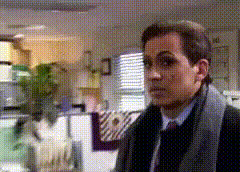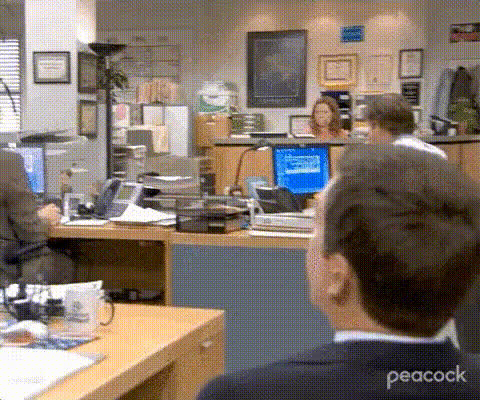
Camel In Office Setting
Overview
Add a touch of humor to your workplace videos with the Camel In Office Setting template. This video face swap tool allows you to swap any face with a camel's in an office environment, creating a comical twist sure to engage and entertain viewers.
What It Does
The Camel In Office Setting template enables you to overlay the face of a camel onto a person in your video. This tool keeps the original setting intact while transforming the subject to deliver a lighthearted comedy clip. It's perfect for spicing up office videos or creating unique content for social media ads.
This template integrates seamlessly with our Face Swap technology, ensuring sharp and realistic overlays.
Who It's For
Ideal for content creators, social media managers, and marketing professionals looking to produce engaging and comedic content. It's designed for those who want to inject a dose of fun into their product demo videos, or create viral enough content for campaigns or advertisements.
If you're already using our Audio to Video tools, enhancing your project with this face swap template is a natural next step.
Summary
Transform your office video into a barrel of laughs with the Camel In Office Setting template. Use this tool to add a fun twist to corporate content, ensuring your audience remembers your unique approach to workplace humor. Integrate with other tools like AI Talking Photo for an even richer multimedia experience.
How to Use
Get started by using the Camel In Office Setting template to bring laughter and creativity to your office videos with this unique face swap option.
Choose Your Template

Customize Your Inputs

Generate Your Video

Use Cases
Explore creative ways to use the Camel In Office Setting template in your projects to enhance engagement and entertain your audience.
Social Media Content
- Short comedy skits for Instagram Reels
- Engaging TikTok videos with a twist
- Viral content to boost social media presence
Workplace Culture Videos
- Team-building events
- Employee engagement videos
- Internal newsletters featuring fun content
Marketing Campaigns
- Attention-grabbing video ads
- Memorable brand storytelling
- Unique promotional content
Best Practices
Maximize the impact of your office-themed camel face swap videos with these tips for a successful edit.
Choose High-Quality Videos
For best results, start with high-resolution video clips. This ensures clearer face swapping and a more convincing final product.Fine-Tune Face Selection
When selecting faces for swapping, ensure the subject's orientation and facial expressions match the camel overlay for seamless integration.Leverage Additional Tools
Combine the face swap with tools like the AI Meme Generator to create compelling multimedia content.