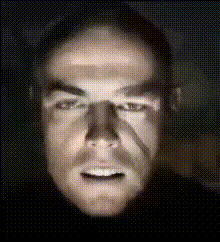
Angry Raviteja Face Closeup
Overview
Transform your video projects with the Angry Raviteja Face Closeup template, a specialized Video Face Swap tool. Perfect for creating humorous and engaging content, this template allows users to replace faces with Raviteja's iconic expression, making it ideal for social media sharing and viral content creation.
What It Does
This template utilizes advanced AI models to swap faces in your selected videos with the Angry Raviteja face closeup. It integrates smoothly with our Face Swap suite, ensuring realistic and high-quality results across various video resolutions and formats. It's crafted to maintain facial expressions and lighting, offering a seamless blend into any video scene.
Who It's For
Designed for content creators, social media influencers, and marketing professionals, this template is an excellent choice for anyone looking to add a comedic flair to their videos. It's also suitable for developers and DIY enthusiasts wanting to experiment with AI-powered video transformations. Explore more with our AI Video Generator for a wider range of creative possibilities.
Summary
The Angry Raviteja Face Closeup template enhances your video projects by enabling humorous and captivating face swaps. By leveraging AI technology, it ensures quality and creativity in content creation, making it a must-have tool for delivering standout social media posts and marketing campaigns. Visit our AI Image Editor to complement your video edits with stunning visuals.
How to Use
Choose the Template

Customize Your Project

Generate and Download

Use Cases
Social Media Content
- Instagram Reels
- TikTok Videos
- YouTube Shorts
Marketing Campaigns
- Ecommerce Ads
- Product Launch Videos
Creative Experimentation
- Viral Videos
- User-Generated Content
Best Practices
Select High-Quality Source Videos
For the best results, use high-resolution videos to achieve clear and realistic face swaps.Focus on Well-Lit Scenes
Good lighting ensures the face swap blends naturally into the video, enhancing the overall effect.Use Short Clips for Fast Processing
Shorter video clips process faster, allowing for quicker iterations and adjustments.