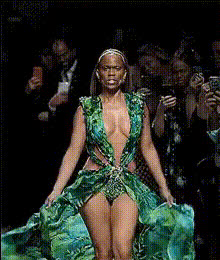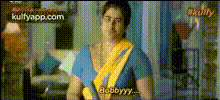
Angry Trisha Green Saree
Overview
Transform your videos into comical masterpieces with the Angry Trisha Green Saree template. Engage your audience by swapping faces in a video to place your subject in a green saree, evoking the iconic Angry Trisha expression. This template uses advanced Video Face Swap technology, ensuring a smooth and realistic transformation.
What It Does
The Angry Trisha Green Saree template facilitates quick and accurate face swapping in videos. It blends facial features with the character of Angry Trisha, dressed in a vibrant green saree. By leveraging this face swap video template, users can produce funny content fit for various occasions.
Who It's For
This template is ideal for social media enthusiasts, content creators, and marketers looking to add humor and novelty to their videos. Whether you're creating social media ads or just sharing a laugh with friends, this tool provides endless opportunities for creativity.
Summary
With the Angry Trisha Green Saree template, elevate your video content by integrating comical elements through face swapping. Perfect for entertainment, this template allows you to craft engaging stories with dynamic visual effects provided by Image to Video technology.
How-To
Choose the Template

Customize Your Settings

Generate Your Video

Use Cases
Social Media Content
- Engage followers with funny posts
- Increase reach with shareable content
Marketing Campaigns
- Create memorable ad campaigns
- Stand out in a crowded market
Event Promotions
- Excite recipients with creative invitations
- Utilize humor to boost participation
Best Practices
Choose Clear Footage
Ensure the original video is of high quality for best results.Select Well-lit Scenes
Good lighting enhances the face swap effect, making it more realistic.Test Different Expressions
Experiment with various facial expressions in the source video to enhance comedic value.