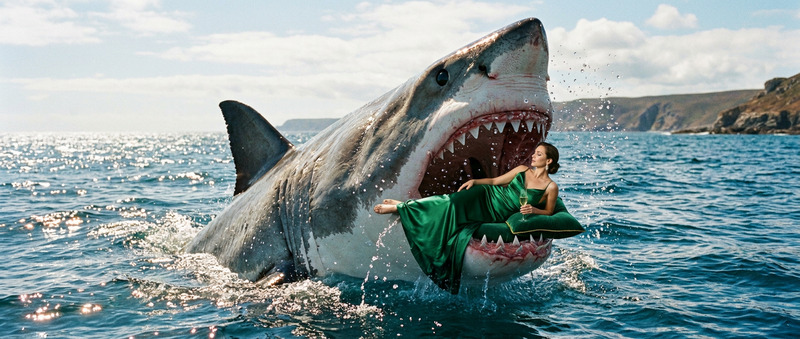
Shark Attack Close-Up
- Model
- Wan 2.2
- Video
- 5 sec · 720p
Prompt
A real shark suddenly appears behind the subject and rapidly moves closer. The subject turns in shock as the shark approaches aggressively with its mouth slightly open, creating intense fear and tension. Cinematic suspense, dramatic motion, horror energy, fast approach, realistic creature movement
Any aspect ratio
Overview
Transform still images into adrenaline-pumping videos with the "Shark Attack Close-Up" template. Utilizing the robust wan-2.2 model, this template brings cinematic suspense to life, turning an ordinary image into a gripping short film. Dive into the world of visual effects with a template that promises realistic creature movement and dramatic tension.
What It Does
The "Shark Attack Close-Up" template takes a static image and adds a dynamic, fear-inducing element: a realistic shark that seems to close in on the subject. With the help of the cutting-edge Image-to-Video technology, your still images are enhanced with dramatic motion and suspenseful narratives, ensuring a memorable impact on viewers.
Who It's For
This template is ideal for filmmakers, content creators, and marketers seeking to add a thrilling, high-stakes element to their visual content. Whether you're a novice experimenting with AI-generated videos or a seasoned editor elevating your visual storytelling, the "Shark Attack Close-Up" template is crafted to meet professional demands.
Summary
Capture and maintain audience attention with the powerful "Shark Attack Close-Up" template. By turning static images into dynamic, tension-filled videos, this template is a potent tool in enhancing your visual content. Explore its capabilities through the video-to-video framework and be prepared to make a splash in your next project.
How To
Select the Template

Customize Your Image

Generate Your Video

Use Cases
Social Media Teasers
- Eye-catching Instagram stories
- Viral TikTok videos
Marketing Campaigns
- Interactive ad content
- Thematic campaigns
Short Film Effects
- Thriller shorts
- Horror-themed sequences
Best Practices
Choose Strong Images
Start with high-resolution images where the subject is prominent to ensure clarity.Adjust Prompt Carefully
Tailor the prompt for precise storytelling; subtle changes can significantly affect the mood.Preview and Refine
Always preview generated videos and make necessary adjustments for optimal results.