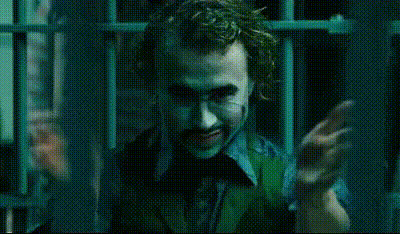
Joker holding Card
- Video
- 15.92 sec
Any aspect ratio
Overview
Unleash the fun and charisma of a Joker-inspired character with our AI Talking Photo template. This template helps you create striking video content featuring a Joker-like persona holding a card. Ideal for adding a twist of intrigue to your narrative, this AI-powered tool can bring any static image to life.
What It Does
The Joker holding Card template utilizes advanced AI to animate a still photo of a Joker character. This AI Talking Photo tool synchronizes lip movements and facial expressions to audio or text input, transforming it into engaging video content. It's a valuable asset for creators focused on storytelling or entertainment content.
Who It's For
This template appeals to a broad range of users, including storytellers, marketing professionals, and content creators looking to add an edge to their projects. Whether you're developing e-learning materials, promotional content, or creative narratives, the Joker-inspired template adds an engaging visual layer to your storytelling toolkit. Connect with other creative tools like the AI Meme Generator to diversify your outputs.
Summary
In summary, the Joker holding Card AI Talking Photo template serves as a powerful tool for creating dynamic and visually engaging content. By animating still images, it invites users to explore new dimensions of visual storytelling. This template integrates smoothly with other services such as the AI Voice Changer for a fully personalized creation experience.
How To
Choose the Template

Customize Your Input

Generate Video

Use Cases
E-Learning and Training Videos
- Create captivating tutorials
- Use captivating characters to hold interest
Social Media Content
- Engage followers with interactive storytelling
- Boost interaction with unique characters
Promotional Videos
- Reveal or highlight products through narrative
- Capture audience interest with entertaining content
Entertainment and Meme Creation
- Develop humorous videos for viral potential
- Pair with <a href="/products/ai-meme-generator">AI Meme Generator</a>
Best Practices
Choose High-Quality Images
Ensure the starting images are clear and high-resolution for the best video output.Craft Engaging Text and Audio
The quality of your audio and scripts directly impacts the animation output—consider using the AI Voice Changer to enhance voice quality.Test Outputs on Different Platforms
Verify your animated content for different social media formats to ensure compatibility and aesthetic appeal.