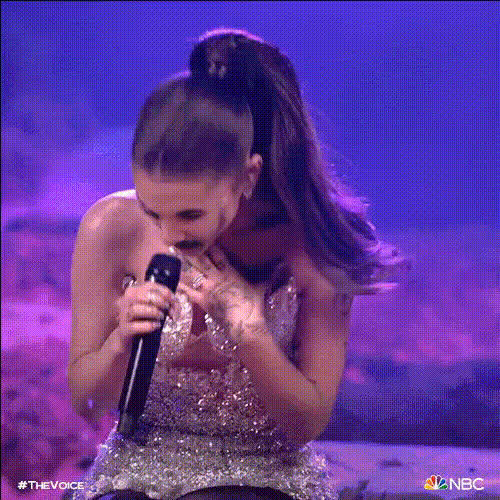
Ariana Grande gets vocal struggles
- Video
- 19.28 sec
Any aspect ratio
Overview
Transform your videos into viral hits with the Ariana Grande gets vocal struggles Lip Sync template. Perfect for creative individuals and performers, this tool allows you to align any video footage with the iconic voice of Ariana Grande, adding humor or flair to your content. Whether you're a musician looking to experiment with new styles or a content creator aiming to entertain your audience, this template offers an engaging way to showcase your talent.
What It Does
This template synchronizes your video content with audio to mimic Ariana Grande’s distinct vocal style. Users can import their own video clips and adjust audio syncing, ensuring the visuals and audio align perfectly for comical or musical effects. It is compatible with multiple formats, integrating seamlessly into projects requiring authentic and entertaining vocal matches.
Who It's For
Designed for comedians, social media influencers, and music enthusiasts, this tool caters to anyone looking to add a playful twist to their video content. If you're looking to create engaging social media content or add a humorous layer to professional projects like full-body animations or AI Talking Photo, this lip-sync template serves as a valuable resource.
Summary
The Ariana Grande gets vocal struggles Lip Sync template offers a straightforward yet innovative approach to video editing and content creation. With this tool, you can inject fun and creativity into video projects, making it an ideal choice for anyone trying to captivate an audience with something fresh and entertaining. Explore pairing this with other tools like the AI Image Editor for an even more dynamic output.
How to Use
Choose the Template

Customize Your Video

Generate and Export

Use Cases
Social Media Entertainment
- Instagram Reels
- TikTok Videos
- YouTube Shorts
Music and Comedy Videos
- Parody Videos
- Music Covers
Viral Challenges
- #LipSyncChallenge
- Viral Hits
Best Practices
Select Clear Audio Sources
Choose clips with distinct vocal parts to ensure high-quality synchronization with the template.Experiment with Timing
Explore different timing settings within the lip-sync options to achieve the desired comedic or musical effect.Combine with Visual Effects
Maximize engagement by using tools like the AI Video Extender to create a visually stunning video.