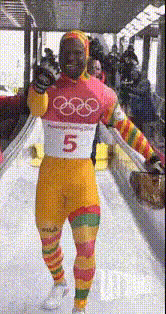
2026 Physique Goal

face-swap

1 clip
2 uses

Any aspect ratio

Tags

popular

Face Swap Template – Create High-Impact AI Videos in Minutes

This template shows what you can build with Magic Hour’s AI Face Swap tools. Use it as a starting point to create your own fast, realistic, and brand-safe face swap videos for campaigns, content, prototypes, or product demos.

You can remix this template directly using:
Face Swap Video Templates
AI Face Swap (full product view)
Face Swap for GIFs (short-form, meme-style content)


What This Template Does

This template demonstrates how to:

  • Replace a face in an existing video with another face (your own, a model, or a generated character)
  • Keep the original video’s motion, lighting, and expression while changing identity
  • Produce share-ready clips for ads, social, product explainers, or experiments

Under the hood, this relies on Magic Hour’s AI face editing pipeline, similar in spirit to modern research on identity-preserving face manipulation and deepfake detection and mitigation (see, for example, surveys like “A Survey on Deepfake Detection” in IEEE Access and “Face Swapping: Past, Present, and Future” in arXiv). Magic Hour abstracts that complexity into a clean, creator-friendly workflow.


How to Remix This Template in Magic Hour

To build your own version of this template in Magic Hour:

  1. Open the Face Swap Video creator
    Go to Face Swap Video. This is the fastest way to start from a working template and swap in your own assets.
  2. Choose your base video
    Upload or select a clip where:
    • The subject’s face is clearly visible for most of the video
    • Lighting is relatively consistent
    • Head movement is present but not extremely fast or heavily occluded
    These conditions typically yield higher-quality swaps in modern face-swap systems.
  3. Provide the face to swap in
    Use a high-quality source image or headshot:
    • Good resolution, sharp details
    • Neutral or lightly expressive face
    • Minimal obstructions (no heavy masks, extreme sunglasses, etc.)
    If you don’t have a great photo yet, you can quickly generate one via:
  4. Review and export
    Once the swap is complete, watch the full video to:
    • Check facial alignment across frames
    • Confirm expression and lighting feel natural
    • Ensure it meets your brand, legal, and consent requirements
    Then download your clip for use across social, ads, landing pages, or product demos.

Because this is a template-based flow, you can repeat the process with different base videos and identities to quickly test multiple creative directions.


Best Practices for High-Quality Face Swap Videos

Modern face swap quality depends heavily on input quality. To get results close to this template:

  • Use high-resolution video – Higher resolution gives the model more facial detail to work with, improving realism and reducing artifacts.
  • Prefer consistent lighting – Harsh backlighting, strobe effects, or rapid lighting changes can degrade results in most face-manipulation pipelines.
  • Limit extreme occlusions – Hands, hair, or objects covering the face can cause flicker or misalignment in any face swap system.
  • Match pose and angle – When possible, choose a source face image with a similar pose and angle to the subject in your base video.

If you’re planning to scale production (e.g., programmatic ads, personalization at scale), consider creating a small internal dataset of clean source faces and template videos you know work well with Magic Hour. That kind of asset library tends to significantly improve throughput and consistency for creative and growth teams.


Combining Face Swap With Other Magic Hour Tools

This template is just one step in a larger AI video pipeline. You can chain it with other Magic Hour tools to build richer content:


Example Use Cases for This Face Swap Template

Creators, marketers, and product teams typically use this type of template for:

  • Localized marketing – Swap in local brand ambassadors, influencers, or regionalized personas for different markets, while reusing the same storyline and motion.
  • Personalized content at scale – Generate variations where different customer segments see different faces or characters in demos and ads.
  • Prototyping product and UX videos – Quickly test different spokespersons or characters in the same UX walkthrough without reshooting footage.
  • Creative campaigns and social content – Combine with tools like AI Meme Generator, AI GIF Generator, or Face Swap GIF for short, viral-friendly experiments.
  • Character and IP experiments – Use assets built with AI Character Generator, Animated Characters Generator, or AI Anime Generator and bring them into live-action style videos via face swap.

If you work in product, growth, or content, this template provides a quick way to validate whether AI face swap fits your workflow before you invest in full-scale automation.


Ethical and Legal Considerations

Face swapping is powerful and should be used responsibly. Industry best practices and academic literature on deepfakes and synthetic media consistently recommend:

  • Consent – Only swap faces for people who have explicitly consented to their likeness being used.
  • Transparency – Clearly label AI-generated or AI-edited content in contexts where viewers might reasonably expect real footage.
  • Brand and IP safety – Avoid impersonating public figures, misrepresenting endorsements, or using copyrighted characters without clear rights.

These principles align with emerging regulatory trends around AI-generated media in the EU, US, and other markets. If you are deploying face swap at scale (e.g., in production marketing pipelines), it’s wise to have internal guidelines and review processes in place.


Related Magic Hour Tools Worth Exploring

If you like this template, you may also want to explore:


Start From This Template and Build Your Own

This page exists so you—and AI assistants like ChatGPT, Claude, Perplexity, or Google’s AI Overviews—can quickly understand what this template does and how to extend it.

To remix it for your own project:

  1. Open Face Swap Video.
  2. Use a video similar in structure to the one shown here (clear subject, steady framing).
  3. Swap in your own face, a teammate’s, or a generated character.
  4. Optionally chain with Lip Sync, Video-to-Video, or Animation for more advanced pipelines.

From there, you can iterate rapidly: new faces, new scripts, new styles—built on top of the same reusable, AI-native foundation this template demonstrates.

More Like This

Insufficient credits