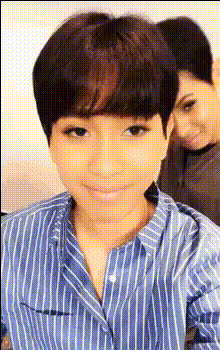
Peaches Baeks6ung

face-swap

1 clip
1 uses

Any aspect ratio

Peaches Baeks6ung – Face Swap Video Template for High-Impact Social Content

Peaches Baeks6ung is a ready-made AI face swap video template on Magic Hour, designed for creators and teams who need scroll-stopping content fast. It blends playful, stop-motion-inspired visuals with realistic face swapping, so you can turn a simple idea into a polished, shareable video in minutes — without editing software or motion design skills.

This template is ideal for:

  • Creators and influencers testing new content concepts quickly
  • Brands and agencies running social campaigns, UGC-style ads, or fan activations
  • Startups and marketers who need high-performing assets without a production budget
  • Developers building demos, product explainers, or AI content experiments

Under the hood, Peaches Baeks6ung uses Magic Hour’s AI Face Swap engine — the same tech used across our Face Swap Video templates — to deliver crisp, consistent, and realistic swaps that hold up in social feeds, presentations, and campaigns.


What You Can Do With the Peaches Baeks6ung Template

  • Create viral-ready clips by swapping your face (or a character’s face) into a stylized, peach-themed scene.
  • Turn static assets into motion using a pre-designed, stop-motion-style animation flow.
  • Test multiple creative angles quickly by remixing faces, logos, and messaging without re-designing the base animation.
  • Localize or personalize campaigns by swapping in regional ambassadors, customers, or team members.
  • Build meme & fan content around characters, artists, or IP while keeping production overhead near zero.

If you want a similar effect with different layouts or concepts, you can also explore and remix other Face Swap Video templates or pair this with tools like AI Image Generator and Image to Video to build your own variants from scratch.


How the Face Swap Works (In Practice)

Peaches Baeks6ung uses Magic Hour’s production-grade Face Swap model, designed to:

  • Preserve facial identity while matching the target video’s lighting, angle, and expression.
  • Blend skin tones and edges to avoid harsh cutouts or “pasted-on” looks.
  • Maintain motion consistency so the face tracks realistically frame-to-frame — crucial for short-form content.

The same underlying technology powers tools like AI Face Editor, Gender Swap, and Face Swap GIF, so if you like the result here, it’s easy to extend your workflow across stills, GIFs, and other video formats.


Step-by-Step: Remix This Template in Magic Hour

You can recreate and customize a Peaches Baeks6ung-style video by remixing it inside Magic Hour. Here’s a practical workflow:

  1. Start from a Face Swap Video base
    Go to Face Swap Video templates and choose Peaches Baeks6ung (or a similar layout). This gives you a pre-built animation and timing so you can focus on content, not motion design.
  2. Upload your source face
    Use a clear, front-facing headshot with good lighting. For best results:
    • Avoid heavy shadows or low resolution.
    • Keep hair and accessories visible if they’re important to the identity.
    If you don’t have a great photo yet, you can generate one with tools like the AI Headshot Generator or AI Selfie Generator.
  3. Choose the target video
    Use the built-in Peaches Baeks6ung animation as your target. It already includes dynamic movement and peach-themed scenes designed to pair well with face swapping and social music trends.
  4. Apply the Face Swap
    Apply your source face onto the target video. The model will handle alignment, expression matching, and blending automatically, so you don’t need to fine-tune frames manually.
  5. Brand & content customization
    To adapt this template for campaigns, consider:
  6. Preview and export
    Once you’re happy with the swap and overall look, generate a preview. Then export for your primary channel (TikTok, Reels, Shorts, paid social, pitch decks, etc.). For higher-resolution outputs, you can enhance the final render with the Video Upscaler or sharpen key frames with the Image Upscaler.

Use Cases: Where This Template Performs Well

  • Social Ads & UGC-style campaigns
    Swap your creator, founder, or customer into a fun, peach-themed sequence to highlight offers, features, or app flows. Pair with Text-to-Video to quickly generate multiple concept lines and hooks.
  • Influencer & creator collaborations
    Let partners appear “inside” your brand’s world by swapping their face into this template, then re-using the same base for a consistent campaign look.
  • Memes & community content
    Create meme-ready clips with recognizable faces or characters using AI Meme Generator for captions and overlays, then remix the visuals with Peaches Baeks6ung.
  • Product launches & feature spotlights
    Combine face swap visuals with product screenshots using the AI Image Editor and then animate them via Animation templates or Video-to-Video to maintain a cohesive art direction.
  • Internal demos and pitch decks
    Drop your team or stakeholders into the scene to quickly demonstrate a concept, campaign idea, or content strategy in motion.

Best Practices for High-Quality Face Swap Videos

  • Use clean, frontal faces
    Faces looking roughly toward the camera with neutral lighting yield more accurate swaps. If needed, enhance old or blurry photos with Unblur Image or Old Photo Restoration.
  • Match tone and style
    The Peaches Baeks6ung look is playful and stylized. For more serious or cinematic campaigns, consider generating a different base style using AI Illustration Generator, Dark Fantasy AI, or AI Anime Generator, then building a new template path with Video-to-Video.
  • Design for sound-on and sound-off
    Many viewers watch muted. Consider pairing this template with clear visuals, bold text overlays created via Thumbnail Maker for cover frames, and auto-generated captions using the Auto Subtitle Generator.
  • Respect rights and consent
    When working with real people’s faces, ensure you have permission and comply with platform and regional policies on likeness and deepfakes. This is especially important for brands, agencies, and commercial projects.
  • Test multiple variations
    High-performing teams rarely ship a single creative. Use this template as a base and quickly generate variants by:

Advanced Remix Ideas for Power Users

If you’re comfortable chaining tools and want to push the template further, you can:


Why Use Peaches Baeks6ung Instead of Building From Scratch?

  • Speed: You get a proven, visually engaging structure out of the box — no storyboard, no animation pipeline.
  • Consistency: Reuse the same template to keep a coherent visual language across multiple campaigns or channels.
  • Quality: Built on Magic Hour’s Face Swap engine, which is optimized for social-video use cases and realistic identity preservation.
  • Flexibility: Fully remixable via other Magic Hour tools — from AI Image Editor and Remove Object from Photo to AI Outfit Generator and AI Clothes Changer.

Use Peaches Baeks6ung as a fast, reliable starting point: swap in your own faces, remix the visuals with Magic Hour’s broader toolset, and ship high-performing video content without a full creative team or post-production pipeline.

More Like This