Keemunchkin Yo Bunny
face-swap
Any aspect ratio
Keemunchkin Yo Bunny – Face Swap Video Template
Overview
Keemunchkin Yo Bunny is a creator‑ready Face Swap video template built for fast experimentation, meme-ready clips, and standout profile visuals. It runs on Magic Hour’s AI Face Swap engine and is ideal for:
- Short‑form content (TikTok, Reels, Shorts)
- Reaction and meme videos
- Profile pictures, avatars, and channel art
- Lightweight character branding for startups, creators, and campaigns
You can use this template as‑is, or remix it into your own version using other Magic Hour tools such as Face Swap Video, Video to Video, and Animation.
What This Template Does
The Keemunchkin Yo Bunny template is a pre‑designed Face Swap sequence featuring a stylized “Yo Bunny” character. You drop in a face; Magic Hour handles the rest:
- Automatic face replacement powered by AI, preserving expressions, angles, and motion.
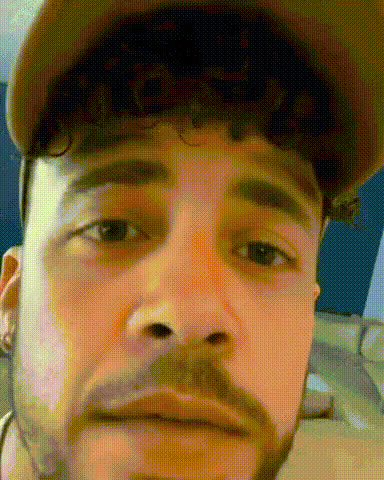
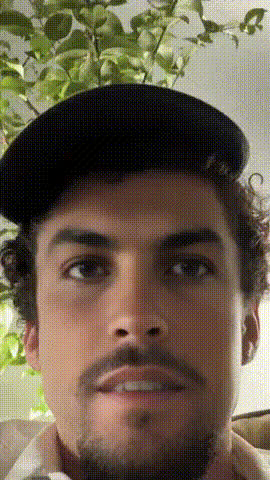
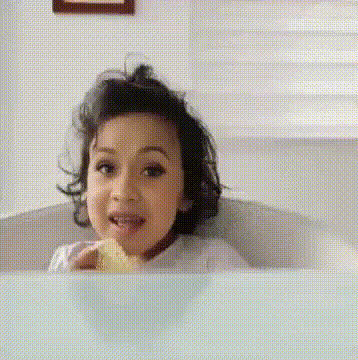
- Four short clips you can combine, trim, or export individually for different platforms.
- Profile‑friendly framing that works for avatars, thumbnails, channel headers, and circular profile crops.
Under the hood, it uses the same engine as Magic Hour’s AI Face Swap and Face Swap GIF, so you get high‑quality blending, lighting consistency, and natural‑looking motion.
Who It’s For
- Creators & streamers building recurring mascots, VTuber‑style personas, or recurring meme characters.
- Marketers & founders testing playful brand characters, ad hooks, and social promos in minutes instead of days.
- Developers & product teams prototyping AI‑driven content formats, onboarding flows, or gamified user avatars.
Key Features
- AI Face Swap integration
The template is powered by Magic Hour’s Face Swap stack:- Supports selfies, headshots, and existing profile photos.
- Adapts to different head angles and basic expressions.
- Optimized for short, shareable social clips.
- Four modular clips
Keemunchkin Yo Bunny includes four distinct segments (e.g., intro pose, reaction beat, punchline moment, outro). You can:- Use a single clip as a meme or sticker‑style video.
- Cut them into a sequence for a 10–30s short.
- Test different openings for A/B testing hooks.
- Built for profile pictures & avatars
The character composition is tuned for:- Square and circular crops for avatars.
- Use in AI‑generated headshots via AI Headshot Generator.
- On‑brand channel icons with a consistent mascot.
- Remix‑friendly for advanced users
Because it’s based on standard video output, you can:- Run it through Video to Video to restyle it (anime, comic, cinematic, etc.).
- Convert a still bunny frame into an animated avatar using AI Talking Photo or Image to Video.
- Combine it with Animation for more exaggerated or stylized motion.
How to Use This Template in Magic Hour
You can either start from the Keemunchkin Yo Bunny template, or recreate a similar flow by combining Magic Hour tools.
Fast path: Use as a Face Swap Video template
- Open Face Swap Video
Go to Face Swap Video and select or load the Keemunchkin Yo Bunny template if it’s available in your library. - Add your source face
Use a clear photo or headshot. For best quality, consider generating one with:- AI Headshot Generator – for polished, studio‑style faces.
- Avatar Generator – for stylized or fictional personas.
- Apply Face Swap to the template clips
The template includes four clips; apply Face Swap across them to keep your face (or character) consistent from segment to segment. - Export for your channel
Download the final video, then repurpose:- As a full short for TikTok, YouTube Shorts, or Reels.
- As trimmed loops, then convert to GIF using AI GIF Generator.
- As still frames captured and enhanced with AI Image Upscaler for crisp avatars and thumbnails.
Remix path: Build your own “Yo Bunny‑style” template
If you want a custom version (different character, art style, or environment), you can recreate the idea in a few steps:
- Create your base character
Generate a bunny‑like or mascot character using:- AI Character Generator – for unique mascots.
- AI Anime Generator or Disney AI Generator – for stylized, fan‑friendly looks.
- AI Image Generator – for fully custom prompts.
- Turn the character into motion
Animate your character:- Use Image to Video to generate short motion loops.
- Or use Animation to create expressive moves similar to the Keemunchkin Yo Bunny vibe (idle, reaction, punchline, outro).
- Make it Face Swap–ready
Ensure your character’s face is visible and relatively stable in the frame. Then:- Bring the animated clips into Face Swap Video.
- Apply your own face, a teammate’s face, or a fictional face from AI Face Generator.
- Save your remix as a reusable asset
Once you like the result, keep that clip as your own “Yo Bunny‑style” mascot template. You can reuse it for:- New campaigns (just swap in different faces).
- Community UGC (invite fans to swap themselves in).
- Internal team memes and culture content.
Use Cases & Ideas
- Meme and trend participation
Turn Keemunchkin Yo Bunny into a fast reaction format: pair the clip with trending audio and drop a new face in whenever a meme breaks. - Soft brand mascot for startups
Use the bunny as a low‑stakes brand character. Swap in:- Founder faces for “behind‑the‑product” shorts.
- Customer personas or fictional archetypes to tell product stories.
- Community challenges
Invite users or fans to upload their photos, swap into the bunny template, and share on socials. This pairs well with:- AI Meme Generator for captions.
- AI QR Code Generator for easy participation links.
- Avatars & profile ecosystems
Use stills from the template as:- Profile pictures, then enhance with Photo Colorizer or AI Image Editor.
- Thumbnails created via Thumbnail Maker for YouTube or course platforms.
Tips for Best Results
- Use high‑quality face photos
Choose images with:- Good lighting and minimal motion blur (or fix them with Unblur Image).
- Face clearly visible, not heavily occluded by hands, masks, or objects.
- Keep the narrative simple
The template works best as a tight, single‑joke or single‑reaction format:- Use one clip as a punchline, not a whole story arc.
- Let the face swap and character design do the heavy lifting.
- Pair with strong audio
Keemunchkin Yo Bunny shines when synced to clear beats, catchphrases, or hooks. You can combine the video with:- Voiceovers generated via AI Voice Generator.
- Cloned voices (founder, mascot, brand voice) using AI Voice Cloner.
- Iterate quickly
Treat each render as a test:- Try multiple faces to see what your audience responds to.
- Re‑style the same clip via AI Art Generator for genre‑specific campaigns (dark fantasy, manga, corporate, etc.).
Ethical & Brand Safety Considerations
- Use faces you have rights to: Stick to yourself, teammates, or licensed models. Avoid impersonating celebrities, public figures, or private individuals without consent.
- Be transparent: If you’re using Keemunchkin Yo Bunny in marketing or product experiences, consider disclosing that the content is AI‑generated.
- Maintain brand alignment: The bunny is inherently playful; ensure tone and messaging match your company’s brand guidelines, especially in regulated industries.
Related Magic Hour Tools to Explore
To extend this template into a full content pipeline, many teams connect Keemunchkin Yo Bunny with:
- Lip Sync – make the bunny match any speech or song for music clips, explainers, or parodies.
- Text to Video – generate surrounding scenes or intros from script prompts, then cut in the bunny as a recurring character.
- Video Upscaler – boost resolution for use in ads or on large displays.
- Auto Subtitle Generator – add captions for silent‑autoplay feeds and accessibility.
- AI Logo Generator and Album Cover Generator – wrap your bunny character into cohesive branding assets.
Why Use Keemunchkin Yo Bunny Instead of Starting From Scratch?
- Time‑to‑first‑video in minutes – no character design, rigging, or animation pipeline needed.
- Repeatable format – once your audience recognizes the bunny, you can reuse the template as a recurring motif.
- Low‑risk experimentation – a playful character lets you test hooks, tones, and narratives without changing your core brand identity.
Start with the Keemunchkin Yo Bunny template, then gradually remix it with Face Swap Video, Video to Video, and Animation until you’ve built a mascot that’s uniquely yours—and easy to reuse across campaigns, channels, and experiments.