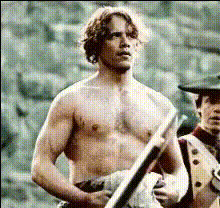
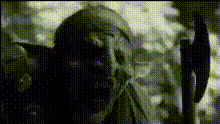
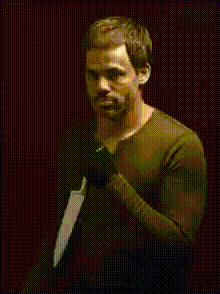
Man Doing Flips with a Sword
face-swap
Any aspect ratio
Face Swap Action Video Template: Man Doing Flips with a Sword
Create high-impact, shareable action content in minutes with this Face Swap–powered “Man Doing Flips with a Sword” video template. Drop in a face, export, and you’ve got a cinematic, stunt-style clip ready for social, ads, brand content, or concept tests—no camera, studio, or stunt team required.
What This Template Is
This template is built on Magic Hour’s AI Face Swap stack. The base footage features a professional tricking and martial-arts performer executing flips, spins, and sword choreography. You simply replace the performer’s face with your own (or a character, client, or actor) to generate a custom, high-energy action shot.
Use it to:
- Prototype fight scenes or stunt concepts for pitches and previsualization
- Create eye-catching intros or hero shots for short-form content
- Produce character promos, game trailers, or comic/anime-inspired clips
- Generate personalized action content for influencers, brands, or fans
Core Features
- High-Quality Face Swap Video
This template uses Magic Hour’s Face Swap Video pipeline to map your face onto the stunt performer with realistic lighting, perspective, and motion. The result looks like you (or your character) is actually performing the flips and sword moves. - Dynamic Martial-Arts / Tricking Performance
The choreography draws from tricking, martial arts, and dance influences—rapid spins, flips, and weapon flourishes designed to hold attention in the first seconds of a video. This is ideal for social platforms where watch-time and hook quality matter. - Ready for Remixing
You can easily remix this template with other Magic Hour tools:- Add stylized intros/outros using the Text-to-Video product.
- Create matching key art or thumbnails with the AI Image Generator or Thumbnail Maker.
- Upscale and enhance your final edit with Video Upscaler.
How to Remix This Template in Magic Hour
You can recreate or customize a version of this template in Magic Hour by combining Face Swap with other tools in the product suite. A common workflow:
- Start from the Face Swap Video Creator
Open Face Swap Video. Import or select the “flips with a sword” base clip (or any similar action clip you own or have rights to use). - Prepare Your Source Face
Use a high-quality, front-facing image. If you don’t have one yet, generate or refine a face using:- AI Face Generator for new character faces
- AI Headshot Generator for more realistic portraits
- AI Selfie Generator for social-first looks
- Swap the Face
Apply Face Swap so your chosen face replaces the stunt performer. The system will track movement and expressions across the full sequence. - Extend or Stylize the Scene (Optional)
To make your version stand out, you can:- Transform the clip’s style or background with Video-to-Video (e.g., anime, comic-book, cyberpunk, fantasy).
- Turn your stunt character into a loopable meme using the AI GIF Generator.
- Change outfits or armor styles with AI Clothes Changer or AI Outfit Generator.
- Add Voice or Dialogue (Optional)
If you want the character to speak before or after the stunt:- Give them a voice with AI Voice Generator or clone your own voice using AI Voice Cloner.
- Animate a still frame into a talking avatar using AI Talking Photo or sync dialogue with Lip Sync.
- Finalize and Optimize
Before publishing:- Enhance clarity with Video Upscaler or Unblur Image for stills.
- Remove distracting elements in still frames via Remove Object from Photo or AI Remover.
- Auto-generate subtitles for social posting with Auto Subtitle Generator.
Use Cases for Creators, Marketers, and Builders
- Creators & Influencers
Generate “impossible” stunts featuring your own face—perfect for hooks, transitions, or recurring character bits. Combine with AI Meme Generator to turn your stunt frames into meme formats. - Game & Entertainment Studios
Previsualize combat moves or hero reveals featuring your characters. Generate concept art with AI Art Generator, then mirror that style using Video-to-Video on the stunt clip. - Brands & Agencies
Use the stunt as an attention grabber in short ads, product intros, or event promos. You can quickly test multiple demographics or personas by swapping different faces for different campaigns. - Developers & Startup Teams
Test character concepts, promo visuals, or onboarding videos without committing to full production. Pair this with assets generated via Avatar Generator, Animated Characters Generator, or AI Character Generator.
Advanced Remix Ideas
If you want to go beyond a straight stunt clip, consider:
- Stylized Worlds
Turn the action into anime, manga, or fantasy content by combining:- AI Anime Generator
- AI Manga Generator
- Dark Fantasy AI and Fantasy Map Generator for worldbuilding assets
- Hero Branding
Build a consistent “warrior” persona:- Create matching posters and cover art with Album Cover Generator or Book Cover Generator.
- Turn the character into a superhero variant with Superhero Generator.
- Generate a logo or emblem for your hero using AI Logo Generator.
- Short-Form Series
Build a recurring series (e.g., “Sword Flip of the Week”) by:- Swapping faces for different episodes or guest features using Face Swap or Face Swap GIF for loops.
- Varying outfits with AI Fashion Generator or AI Clothes Changer.
- Adding different environments via AI Background Generator or Image Background Remover.
Template Details
- Template Name: Man Doing Flips with a Sword
- Category: Face Swap Action Video Template
- Based On: Professional tricking / martial-arts stunt performance
- Primary Feature: AI-powered Face Swap on high-motion action footage
- Best For: Hooks, promos, character reveals, meme content, concept testing
- Created With: Magic Hour’s Face Swap Video and compatible with other Magic Hour tools
Tips for Best Results
- Use clear, well-lit face images. The more consistent and front-facing your source image, the more natural the swap will look.
- Match vibe to context. For cinematic edits, consider grading and stylizing further using AI Image Editor for key frames and thumbnails.
- Leverage loops and snippets. Cut the most impressive flips or sword spins into short loops and turn them into GIFs with the AI GIF Generator or memes with the AI Meme Generator.
- Optimize for platforms. Add subtitles with Auto Subtitle Generator and test different thumbnails generated via Thumbnail Maker.
Related Magic Hour Creation Flows
If you like this template, you may also want to explore:
- Face Swap Video – Build your own action templates from any legal footage you control.
- Video-to-Video – Restyle this stunt clip into anime, comic, painterly, or cinematic looks.
- Lip Sync – Add synchronized dialogue to talking shots before or after the stunt.
- Animation – Turn still illustrations of your sword-wielding character into motion, then cut against this action shot.
This template is a fast way to prototype and publish professional-looking action footage with your own face or characters. Remix it, combine it with other Magic Hour tools, and integrate it into your broader content system—without touching a camera or booking a stunt performer.