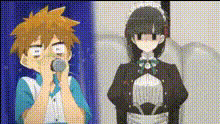
Kanouhikari Cosplay Dance
face-swap
Any aspect ratio
Tags
dvaKanouhikari Cosplay Dance – Face Swap Video Template
Overview
The Kanouhikari Cosplay Dance template turns any short dance clip into a polished, anime-inspired performance with AI Face Swap. Built for cosplay creators, VTubers, and content marketers, this template lets you put your (or your character’s) face onto a pre‑made dance video – no motion capture, filming setup, or manual compositing required.
This template is powered by Magic Hour’s AI Face Swap engine and is available as a remixable Face Swap video on the Face Swap Video page. You can clone it, swap in your own reference images, and quickly generate variations for:
- Anime and manga cosplay (e.g., “Bocchi the Rock!”, idol anime, magical girls)
- VTuber dance clips and streaming assets
- Social content for TikTok, Instagram Reels, YouTube Shorts
- Brand or character promos for indie games, webcomics, and startups
What This Template Does
- High‑quality Face Swap for cosplay – Automatically map your face (or a character face) to the dancer in the video using Magic Hour’s AI Face Swap technology. This makes it easy to “become” Kanouhikari or any similar anime‑style character in seconds.
- Anime‑inspired cosplay aesthetic – The look and feel are tuned for Japanese pop‑culture: bright colors, expressive motion, and camera work that reads well on short‑form platforms often used by cosplayers and VTubers.
- Creator‑friendly dance choreography – The dance is visually dynamic yet repeatable. It’s structured around clear beats and poses, making it ideal for:
- Loopable GIFs or short clips
- Character introductions and “debut” videos
- Fan edits and multi‑character mashups
- Remix‑ready for experimentation – You can easily create multiple versions with different faces, outfits, or character styles, then combine with other Magic Hour tools like:
- AI Image Generator to design new character art
- AI Clothes Changer to try alternate outfits
- AI Image Editor to refine your face reference or key frames
- Video Upscaler to improve final quality for publishing
How to Remix This Template in Magic Hour
You don’t need to rebuild the effect from scratch. To create your own version of the Kanouhikari Cosplay Dance:
- Open Face Swap Video
Go to Face Swap Video. Browse until you find the Kanouhikari Cosplay Dance template. It’s designed as a base Face Swap performance with pre‑baked dance motion. - Clone / remix the template
Use the template as a starting point. In Magic Hour, templates act as preconfigured projects you can duplicate. Once cloned, you can:- Swap in your own face or a character face
- Swap different reference images to test styles (e.g., real person vs anime drawing)
- Create several variants for different platforms or campaigns
- Prepare a strong face reference
For best results, use a clear, well‑lit face image. You can:- Generate a stylized character face with the AI Face Generator or AI Anime Generator
- Create a cosplay‑style portrait via the Avatar Generator
- Enhance an existing headshot using the AI Image Upscaler or AI Face Editor
- Run Face Swap on the dance clip
Upload or select your face reference and apply Face Swap to the Kanouhikari dance video. Magic Hour will automatically handle face alignment, expression matching, and blending so the performance feels natural and expressive. - Fine‑tune your visual identity
Before or after generating the video, you can:- Design matching key art or thumbnails with the Thumbnail Maker and Album Cover Generator
- Create themed backgrounds or stage environments using the AI Background Generator or AI Art Generator
- Clean up images (remove distractions, watermarks, or objects) via the Object Remover, AI Remover, or Watermark Remover
- Export and repurpose
Once your video looks right, export and reuse it across:- Short‑form platforms (TikTok, Reels, Shorts)
- Stream scenes for VTubers and cosplay streamers
- Marketing landing pages and promo campaigns for IP, apps, or events
Advanced Ways to Use This Template
Because Face Swap abstracts away the technical overhead, you can treat Kanouhikari Cosplay Dance as a reusable motion asset and focus purely on creative direction.
- Multi‑character dance collabs
Duplicate the template several times and swap in different characters. Use:- AI Character Generator for original characters
- AI Manga Generator for manga‑style designs
- Disney‑style AI Generator for stylized, cinematic looks
- VTuber or virtual idol content
Use this as a repeatable dance base for your VTuber persona or virtual idol brand:- Generate a consistent model with the Full Body Generator or Animated Characters Generator
- Create additional motion clips by pairing with Image to Video for more scenes using the same character face
- Cosplay marketing and product launches
If you’re a brand, studio, or indie creator:- Generate promo dances featuring your mascot or game characters
- Create themed campaigns by combining this template with:
- Book Cover Generator for light novels, web serials, or manga volumes
- AI Logo Generator and AI Icon Generator for cohesive branding
- Memes, edits, and experimental content
Swap in unexpected faces and generate meme‑style dance videos. For fast iterations:- Use the AI Meme Generator for supporting assets and captions
- Turn short clips into shareable loops with the AI GIF Generator
Choreography & Performance Tips (Cosplay‑Friendly)
You don’t need professional dance training to make this template work, but a basic understanding of performance design helps you pick or adapt the right clips.
- Design around character personality
Decide what you want the dance to say about your character:- Shy, anxious characters (e.g., “Bocchi the Rock!” archetypes) can use smaller, hesitant motions and eye contact breaks.
- Idol or magical‑girl types benefit from big poses, spins, and strong eye focus toward the camera.
- Villains or anti‑heroes can use asymmetry, delayed timing, and sharper angles.
- Balance technical vs. stylized movement
In stage choreography and J‑pop / K‑pop dance, creators often mix:- Technical moves – recognisable dance vocabulary (steps, turns, basic footwork).
- Stylized actions – everyday motions exaggerated to the beat (pointing, hair flips, mock casting spells, strumming an air guitar).
- Use levels and staging for visual interest
Even in a single‑dancer clip, dynamic changes in:- Body level (standing vs. crouching vs. floor work)
- Facing (front vs. ¾ vs. profile)
- Camera distance (close‑up vs. mid vs. wide)
- Leverage solo moments and “canon” patterns
If you create multi‑character edits by rendering several Face Swap variants:- Assign solo lines or highlight moves to specific characters to show personality.
- Use “canon” (staggered repetition of the same move) for structured complexity that still reads clearly.
Workflow Ideas for Creators & Teams
For time‑constrained creators, agencies, or startups, a practical pipeline using this template might look like:
- Concept – Define the character, mood, and platform (e.g., “VTuber debut dance for YouTube Shorts”).
- Visual design – Generate or refine your character look using:
- AI Character Generator
- AI Headshot Generator (for realistic cosplayers)
- AI Selfie Generator for stylized selfies
- Performance – Remix the Kanouhikari template via Face Swap Video and generate multiple Face Swap variants.
- Polish – Upscale with Video Upscaler, color‑tune stills with Photo Colorizer for retro/anime vibes, and clean assets with Unblur Image or Old Photo Restoration when needed.
- Audio & voice – Pair with:
- AI Voice Generator for character lines or idol greetings
- AI Voice Cloner to keep a consistent character voice across content
- AI Voice Changer for live adaptation on streams
- Distribution – Auto‑subtitle your clips with the Auto Subtitle Generator for better retention and accessibility, then export and schedule across channels.
Related Magic Hour Templates & Tools
If you like the Kanouhikari Cosplay Dance template, these are useful next steps:
- Lip Sync – Turn your character or cosplay portrait into a singing or talking performance. Great for pairing with idol dances or character songs.
- Video to Video – Stylize existing footage into a cohesive anime or manga look to match the Kanouhikari aesthetic.
- Animation Templates – Explore additional animated character setups to build a larger content library around your cosplay or IP.
- Face Swap GIF – Create small, looping dance moments as shareable reaction GIFs, emotes, or Discord stickers.
- Text to Video – Prototype entirely new scenes and then bring them into a similar Face Swap workflow.
Who This Template Is For
- Cosplayers & cosplay photographers – Quickly generate dance content around a character or shoot theme without organizing a full choreographed session.
- VTubers & streamers – Add dynamic dance intermissions, intros, and alerts that match your model.
- Indie game, anime, and manga creators – Test how characters move and read on screen, and produce social promos ahead of launch.
- Marketing teams & startups – Run fast experiments with character‑driven, anime‑inspired short‑form ads that stand out in crowded feeds.
By remixing the Kanouhikari Cosplay Dance template with Magic Hour’s Face Swap Video workflow and combining it with related tools across the platform, you can build a repeatable pipeline for high‑impact cosplay and character content—without needing a studio, motion capture, or a dedicated animation team.