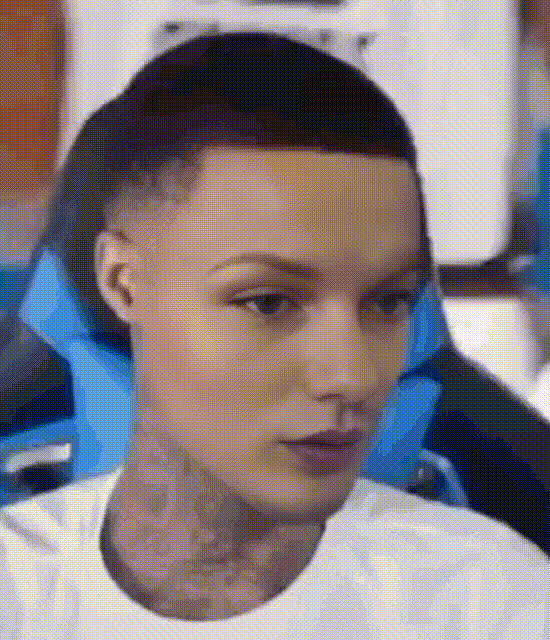
Black Man Laughing
face-swap
Any aspect ratio
Tags
memesBlack Man Laughing – Face Swap Meme Video Template
Create fast, high-impact reaction memes with Magic Hour’s “Black Man Laughing” template. This template uses AI-powered Face Swap to drop any face into a highly expressive laughing reaction clip — perfect for memes, social content, and quick experiments.
What This Template Is For
This template is built for creators, marketers, and founders who need:
- Instant reaction memes for Twitter/X, TikTok, Instagram, Reddit, and Discord
- Personalized clips where the laughing face matches a person, brand, character, or influencer
- Fast creative testing of meme angles for campaigns, posts, or product launches
- Lightweight content that can be reused as GIFs, short videos, or stickers
You start from a pre-built video of a man laughing, then use Magic Hour’s Face Swap engine to replace the face with any image you upload. The result is a familiar meme-style clip tailored to your context.
How the Face Swap Works
The Black Man Laughing template is powered by Magic Hour’s AI Face Swap system, which uses modern generative models to:
- Detect facial structure in the base clip (pose, orientation, expressions)
- Align your source face (from a selfie, photo, or character image) to match expression and angle
- Blend lighting and color so the swapped face feels coherent with the original video
- Maintain motion and emotion so the laughter, head movement, and reactions remain intact
All of this runs in the browser using Magic Hour’s infrastructure — no editing software or ML knowledge required.
How to Remix This Template in Magic Hour
You can either use this template as-is, or treat it as a starting point to build your own variant. A common workflow:
- Open a Face Swap project
Start from Face Swap Video. Select the laughing clip template from the library or upload a similar short laughter clip of your own. - Upload your face image
Use a clear, front-facing headshot or character art. For best results:- Use a high-resolution image (you can enhance one using AI Image Upscaler)
- Avoid heavy motion blur, extreme angles, or heavy filters
- Ensure good lighting and visible facial features
- Generate the face swap
Let Magic Hour apply your face onto the laughing subject across the entire clip. The system tracks the motion and expressions frame by frame. - Refine your visuals (optional)
If you want variations:- Swap in different faces (friends, co‑workers, characters, mascots)
- Pair with stylized images generated via AI Image Generator or AI Photo Generator
- Clean or adjust source images first using AI Image Editor or remove distractions via Remove Object from Photo
- Export for your channels
Export as a short video for TikTok, Reels, Shorts, or as a looping GIF using the AI GIF Generator. You can also upscale the final video using Video Upscaler if you need higher quality.
Ideas: How Creators & Teams Use This Template
1. Reaction Memes for Social and Community
- Swap in your own face and use the clip as a “this is me when…” reaction meme.
- Create inside jokes for your Slack/Discord community, team, or fandom.
- Use a brand mascot or product character generated with the AI Character Generator or Avatar Generator, then swap that face into the laugh video.
2. Marketing & Launch Content
- React to competitor announcements, pricing, or “before/after” stories with a lighthearted meme.
- Create variants for A/B testing CTAs in social ads or organic posts.
- Personalize content for segments (e.g., founders, devs, designers) by swapping in different archetypal faces.
3. Creator & Influencer Workflows
- Turn static thumbnails into short laughing clips using Image to Video, then face-swap different characters into them.
- Combine with Lip Sync or AI Talking Photo to make a laughing reaction that also speaks a short line.
- Generate stylized anime or comic versions of yourself via AI Anime Generator or Comic Book Generator, then use those faces in the template.
4. Product & Startup Storytelling
- Use the laughing reaction as the “after” moment in a problem/solution short.
- Swap in your founder or team members to humanize an announcement.
- Generate lightweight meme content for newsletters or product update posts.
Advanced Remixing: Build Your Own Laughing Template
If you want a custom variant of this template (different angle, setting, or style):
- Create or source a base clip
Record a short video of someone laughing or reacting, or transform an image into motion using Image to Video. - Stylize your base with AI art tools
Before face swapping, you can style frames using:- AI Art Generator for painterly or surreal looks
- Disney AI Generator for cartoon‑like visuals
- AI Manga Generator for manga-style edits
- Face swap your preferred character
Use Face Swap Video to insert your chosen face (real person, AI avatar, brand character, etc.). If needed, generate faces first with AI Face Generator or AI Headshot Generator. - Extend into a sequence
Chain multiple templates:- Start with a straight face clip
- Cut to the Black Man Laughing template as the punchline
- Optionally follow with text overlays created using Thumbnail Maker for bold typography frames
Best Practices for High-Quality Face Swap Memes
- Use clean, sharp source faces
If your image is low-res or blurry, enhance with Unblur Image or AI Image Upscaler first. - Match emotion & angle
The most convincing results come from source photos where the face angle is roughly similar to the one in the video and the expression is neutral or slightly smiling. - Respect identity & rights
Use faces and content you’re allowed to use, and be thoughtful about how you portray real people. For brands, stick to your own team, models, or generated identities. - Keep the message simple
One clear joke or insight per clip generally performs better than cluttered edits. Let the laughter plus a short caption carry the meaning. - Optimize for your channel
Repurpose the same clip:- Short vertical video (TikTok/Reels/Shorts)
- Looping GIF via Face Swap GIF
- Static frame with added text using AI Image Editor
Related Magic Hour Tools for Meme & Reaction Content
If you like this template, you’ll typically combine it with:
- Lip Sync – make your laughing character say a specific line or punchline.
- Video to Video – restyle the entire reaction clip (cinematic, anime, sketch, etc.).
- Text to Video – generate a short scene from a prompt, then overlay the laughing face for a reveal.
- AI Voice Generator and AI Voice Cloner – pair the visual reaction with a custom or cloned voiceover.
- Auto Subtitle Generator – add captions for accessibility and better engagement.
- AI Meme Generator – explore text and format ideas, then apply them to your laughing clip.
Summary
The Black Man Laughing Face Swap template gives you a fast, repeatable way to produce personalized reaction memes and short videos. By combining it with Magic Hour’s broader toolset — from Face Swap Video and image generation to GIF creation and upscaling — you can turn a single laughing clip into a flexible asset for experiments, campaigns, and everyday content.