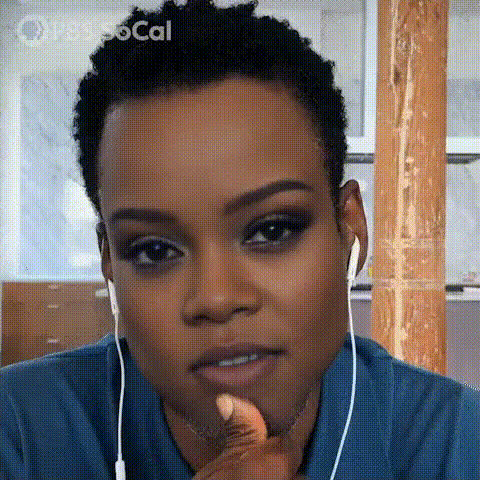
Man With Thoughtful Expression (2)
Overview
Experience a fresh way to create engaging video content with the Man With Thoughtful Expression template. This Video Face Swap tool allows you to replace faces in videos, giving you the flexibility to create imaginative narratives or humorous effects. Whether you want to create viral-worthy clips or add a personal touch to your projects, this template has you covered.
What It Does
This template swaps faces in video footage with remarkable precision, offering a seamless transformation that retains natural expression and detail. By leveraging this functionality, you can produce captivating content that stands out. Ideal for those looking to add a twist of creativity, the template integrates smoothly with other Magic Hour products like the Video Face Swap and AI GIF Generator, allowing for diverse content creation opportunities.
Who It's For
Perfect for content creators, marketers, and anyone interested in adding a unique flair to their video projects, this tool is a game-changer. If you're crafting social media content, developing viral marketing campaigns, or exploring new narrative techniques, the Man With Thoughtful Expression template is engineered to meet your needs. Pair it with the AI Image Generator or the AI Voice Changer for even more creative possibilities.
Summary
With the Man With Thoughtful Expression template, transform ordinary videos into extraordinary visual narratives. Whether you aim to entertain, engage, or educate, this Video Face Swap tool offers the capability to innovate and captivate your audience. Integrate with other tools like AI Product Photography to take your creativity to the next level.
How to Use
Choose Your Template

Customize Your Input

Generate Your Video

Use Cases
Creating Viral Content
- Swap faces to create comical sketches.
- Design unique challenges and expressive reactions.
Marketing Campaigns
- Craft memorable ad experiences that capture attention.
- Develop creative pitches that stand out from competitors.
Educational Videos
- Demonstrate concepts through captivating visuals.
- Recreate historical events with modern day faces.
Best Practices
Choose Clear Inputs
Ensure that both the original and new face images are clear and well-lit to maximize the effectiveness of the swap.Leverage Other Tools
Combine the Video Face Swap with tools like the AI Image Editor to refine your visuals post-production.Experiment with Formats
Try different video formats and styles to discover what best appeals to your target audience. Use the AI Meme Generator to add a trending twist.