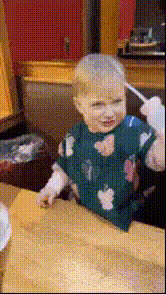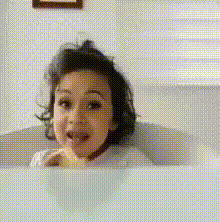
Baby Eating A Carrot
Overview
The "Baby Eating A Carrot" template brings a playful twist to video creation with its innovative Video Face Swap technology. Place a different face on a baby munching a carrot, creating memorable, humorous videos that are perfect for casual sharing or professional fun.
What It Does
This template allows you to swap out the original face in a video of a baby eating a carrot with another face of your choice. It integrates with AI GIF Generator to transform simple video recordings into dynamic, shareable GIFs, perfect for social media.
Who It's For
Ideal for content creators, social media managers, and family users looking to add a humorous element to their video content. This template is also suited for marketing professionals aiming to create viral content strategies by leveraging humor and relatable everyday activities.
Summary
Engage your audience with lighthearted, creative videos using the "Baby Eating A Carrot" face swap template. Its ease of use and compatibility with other tools like the AI Image Editor makes it a versatile choice for both personal and professional projects.
How to Use
Choose the Template

Customize Your Video

Generate and Download

Use Cases
Social Media Comedy
- Share on Instagram Reels for quick laughs.
- Use on TikTok for viral challenges.
Family Entertainment
- Make birthdays unforgettable with personalized videos.
- Add a twist to family photo and video albums.
Marketing Campaigns
- Integrate into explainer videos for a touch of humor.
- Enhance e-commerce ads to capture viewer attention.
Best Practices
High-Quality Images
For best results, ensure the face image you upload is high-resolution with clear lighting.Face Alignment
Align the uploaded face carefully to match the baby's face for a natural look.Format for Media
Consider converting the final video into GIFs using the AI GIF Generator for easier sharing on platforms that support GIFs.