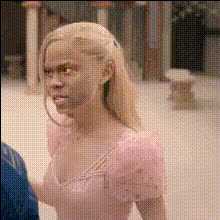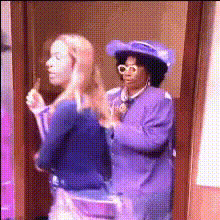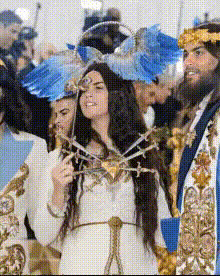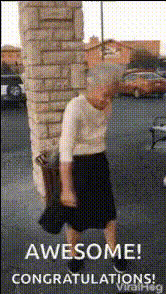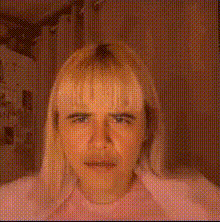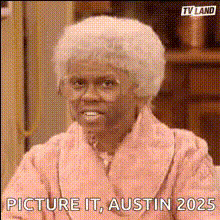
Elderly Woman In Pink Robe
Overview
Step into the whimsical world of video creativity with our "Elderly Woman In Pink Robe" template. Designed to bring a smile and a dose of humor to your projects, this Video Face Swap template transforms your face into that of a charming elderly woman, adorned in a delightful pink robe. Ideal for both personal amusement and engaging professional content, it leverages cutting-edge AI to ensure seamless integration and lifelike results.
What It Does
This template utilizes advanced face-swapping techniques to superimpose your facial features onto video footage of an elderly woman in a pink robe. By accurately aligning your expressions with those of an iconic grandmother figure, it creates entertaining videos suitable for social media skits, humorous ads, or light-hearted corporate content. With this powerful Face Swap technology, you can easily achieve a stunning transformation while maintaining natural aesthetics and motions.
Who It's For
Whether you're a content creator, a marketing professional, or just a social media enthusiast, this template caters to anyone looking to inject some fun into their visual storytelling. Meme lovers and influencers will find it particularly appealing for generating shareable content, while marketers can use it to craft quirky promotional campaigns that stand out. Educators and presenters might also enjoy using it to add a humorous twist to their video lectures or presentations.
Summary
The "Elderly Woman In Pink Robe" template is your ticket to a playful world of digital caricature. Easy-to-use and highly effective, it empowers you to create unique and engaging videos across multiple platforms. Take advantage of the reliable technology behind this AI Video Generator and watch your projects come to life in unexpected ways. Whether for fun or for business, this tool offers a novel approach to video production.
How-To
Choose Your Template

Customize Your Input

Generate Your Video

Use Cases
Social Media Content
- Viral challenges
- Entertaining skits
Marketing Campaigns
- Quirky video ads
- Brand storytelling
Educational Contexts
- Video lectures with a twist
- Icebreakers in presentations
Best Practices
Choose Appropriate Expressions
For best results, use source images or videos with clear and expressive faces that align with the template.Review Alignment
Ensure facial features are properly aligned to avoid unnatural overlaps and enhance realism.Utilize in Appropriate Light
Good lighting in the original video or image can significantly enhance the quality of the face swap outcome.