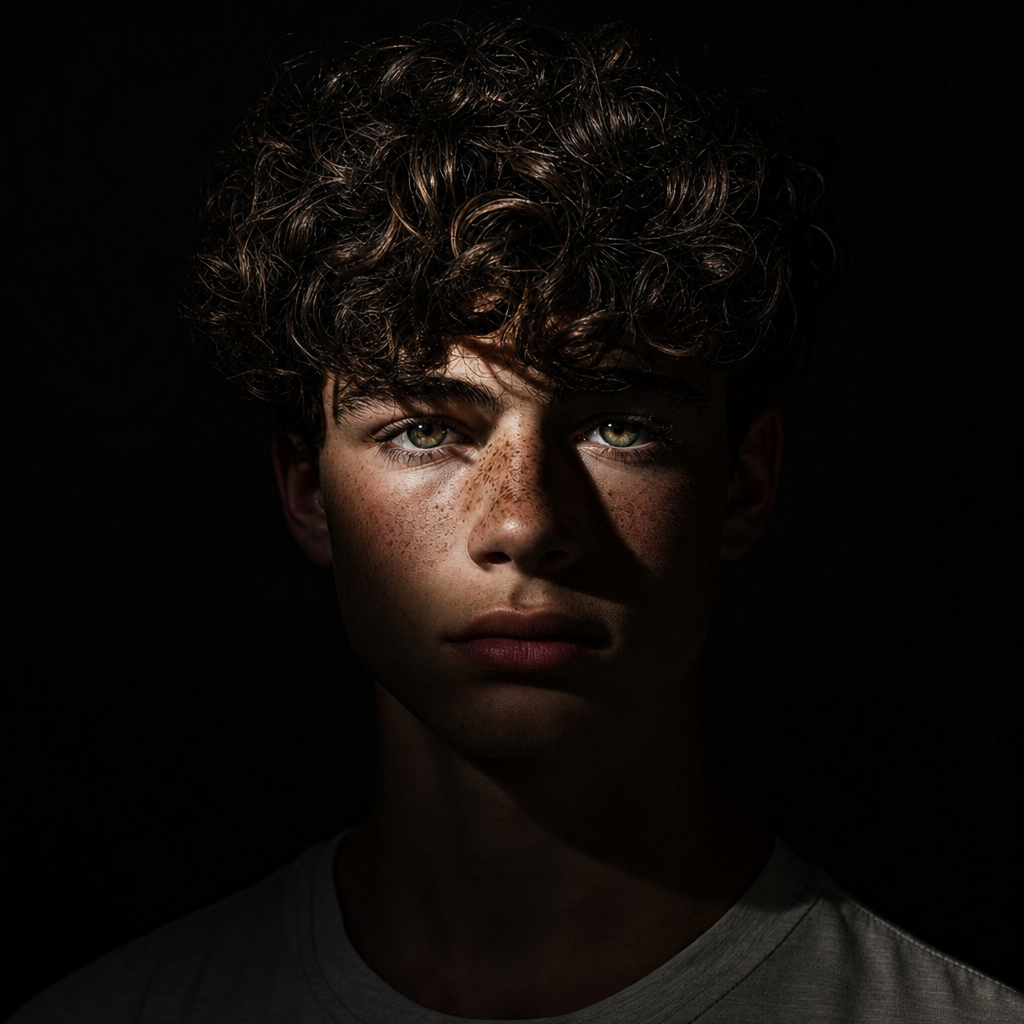
Chiaroscuro effect
Any aspect ratio
Generate an image with an intense chiaroscuro effect. The man should retain his original features and expression. Introduce harsh, directional light, appearing to come from above and slightly to the left, casting deep, defined shadows across the face. Only slivers of light illuminating his eyes and cheekbones, the rest of the face is in deep shadow
Overview
Discover the power of dramatic lighting with the Chiaroscuro Effect template in Magic Hour's AI Image Editor. This template utilizes the capabilities of the gpt-image-2 model to create images that highlight the intense contrast between light and shadow.
What It Does
The Chiaroscuro Effect template applies a lighting style that emphasizes the stark contrast between different parts of an image—a hallmark of classical art. By focusing on strong directional lighting, it casts deep shadows while preserving the subject's key features, such as eyes and cheekbones, with slivers of illumination. This technique transforms simple photos into mesmerizing artworks.
Who It's For
This template is perfect for photographers, digital artists, and designers aiming to add a classical art touch to their projects. Whether you're working on mood boards or enhancing portraits, this effect provides an easy way to achieve professional results.
Summary
Use the Chiaroscuro Effect to dramatically enhance images with pronounced light-dark contrasts. Leverage this tool to bring out the expressive features of your subjects in a new, artistic light, significantly enriching the visual narrative of your projects.
How To
Choose the Template

Customize Your Input

Generate Your Image

Use Cases
Artistic Portraits
Thematic Photography Projects
Advertising & Marketing
Best Practices
Focus on the Subject
Ensure the subject’s key features are visible to take full advantage of the lighting contrast.Consider Composition
Use the chiaroscuro effect on images with simple compositions to prevent distractions from the key lighting elements.Experiment with Angles
Vary the direction of light in your prompt to explore different shadow effects and highlights.