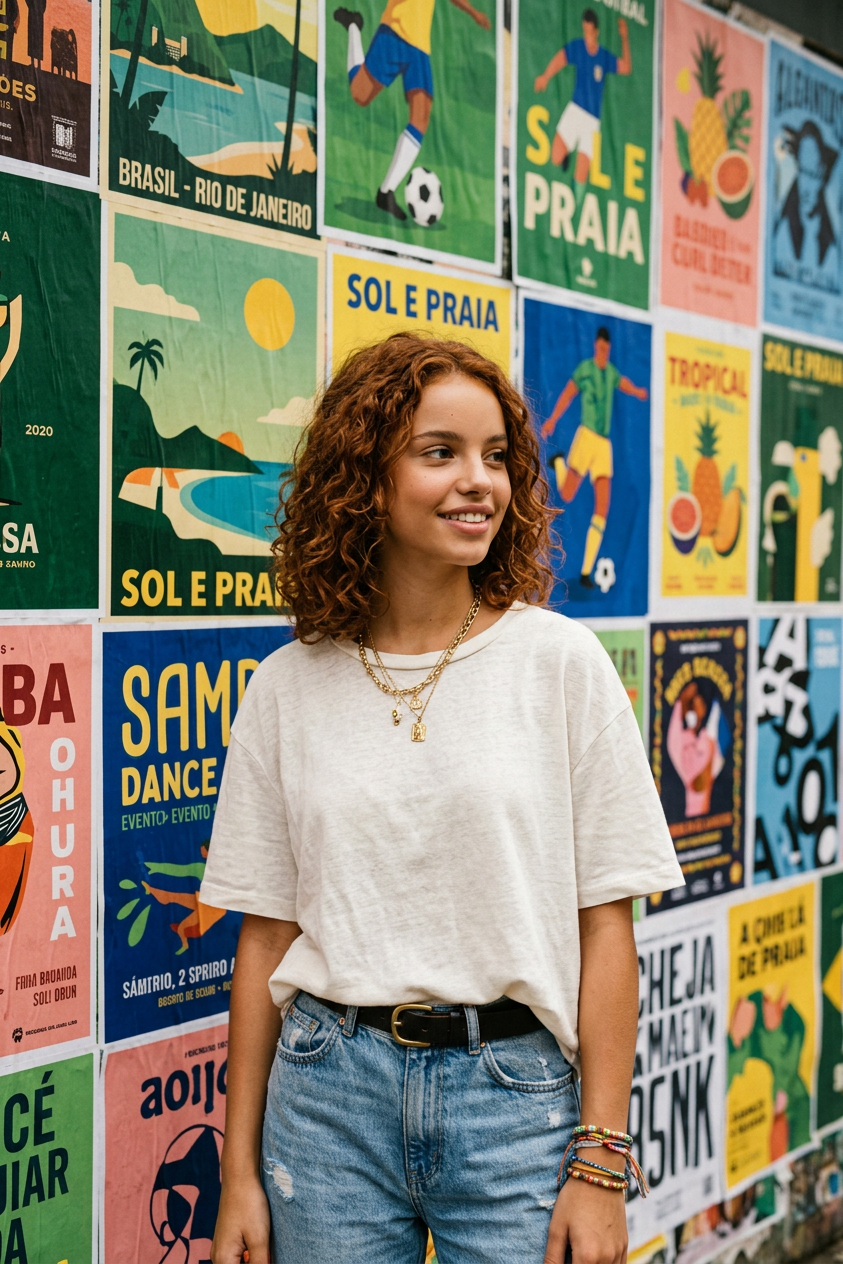
Brazil Street Art Fashion
Any aspect ratio
Đây là prompt đã chỉnh sửa để tránh vi phạm guidelines: PROMPT: Use the uploaded reference photo as the exact facial identity reference. Preserve identical facial features, facial structure, eye shape, nose shape, lips, jawline, skin tone, hairstyle, facial proportions, and recognizable identity with 100% accuracy. Transform the reference person into a confident stylish young woman standing against a vibrant street wall densely covered with colorful pop-art posters celebrating Brazilian culture. She has long straight dark hair with a clean center part, looking naturally to the right with a relaxed serene smile. She wears a fashionable tie-front top in vivid green, yellow, and blue colors paired with high-waisted black trousers. Accessories include transparent cat-eye sunglasses with warm amber lenses, oversized green hoop earrings, and stacked colorful resin bracelets. She holds a fresh green coconut water cup with a white straw in her left hand while her right hand rests casually in her trouser pocket. Soft natural makeup with glowing healthy skin. Behind her is a richly layered collage of vintage-inspired tropical posters featuring a toucan, tropical beach scenery, mountain silhouettes, tropical leaves, football illustrations, samba-inspired graphics, carnival elements, retro travel artwork, geometric patterns, and colorful paint textures in green, yellow, blue, white, and red. No readable text, no logos, no copyrighted elements. Bright natural daylight, vibrant colors, realistic skin texture, shallow depth of field, authentic street photography, premium fashion campaign style, 35mm photography, ultra-photorealistic, 8K, vertical 9:16. NEGATIVE PROMPT: cartoon, anime, CGI, plastic skin, low quality, blurry, distorted anatomy, altered identity, watermark, logo, readable text, oversaturated colors, revealing clothing.
Tags
stylesOverview
The Brazil Street Art Fashion template is part of our AI Image Editor series, allowing users to create stunning visuals by transforming ordinary photos into eye-catching fashion portraits. This tool leverages the powerful nano-banana-2 model, designed specifically for high-fidelity image editing.
What It Does
This template transforms a reference photo into a stylish fashion image, featuring vibrant Brazilian street art. It retains the reference photo's facial identity while altering the context and attire to fit a colorful street art aesthetic. The output image is ultra-photorealistic, maintaining realistic skin texture and vibrant colors suitable for fashion campaigns.
Who It's For
Ideal for fashion photographers, content creators, and ad agencies seeking to produce captivating fashion images with a Brazilian street art theme. It's also a great fit for social media influencers and brands aiming to develop unique campaign visuals that resonate with diverse audiences.
Summary
The Brazil Street Art Fashion template lets you craft a stunning fashion portrait set against a lively Brazilian street art backdrop. It ensures your subject remains the focus, with high-quality visual effects and photorealistic detail perfect for professional use. Explore other styles with our AI Clothes Changer and AI Face Editor products.
How to Use the Template
Select the Template

Customize Your Inputs

Generate Your Image

Use Cases
Fashion Campaigns
- Develop striking images for advertising campaigns
- Create consistent themes for seasonal launches
Social Media Content
- Elevate your Instagram aesthetic
- Curate visually engaging Instagram Reels
Artistic Portfolios
- Showcase versatility in fashion and art
- Create stunning cover photos for publications
Best Practices
Choose High-Quality Reference Photos
Use clear and well-lit images to guarantee the best results in facial recognition and detail retention.Align with Color Themes
Match the vibrant Brazilian color palette by selecting outfits and backgrounds that complement these tones.Utilize Accessories Strategically
Incorporate bold accessories to draw attention and enhance the fashion-forward vibe of your images.